Sephral’s Token Tooltips
by Sephral
Sephral’s Token Tooltips
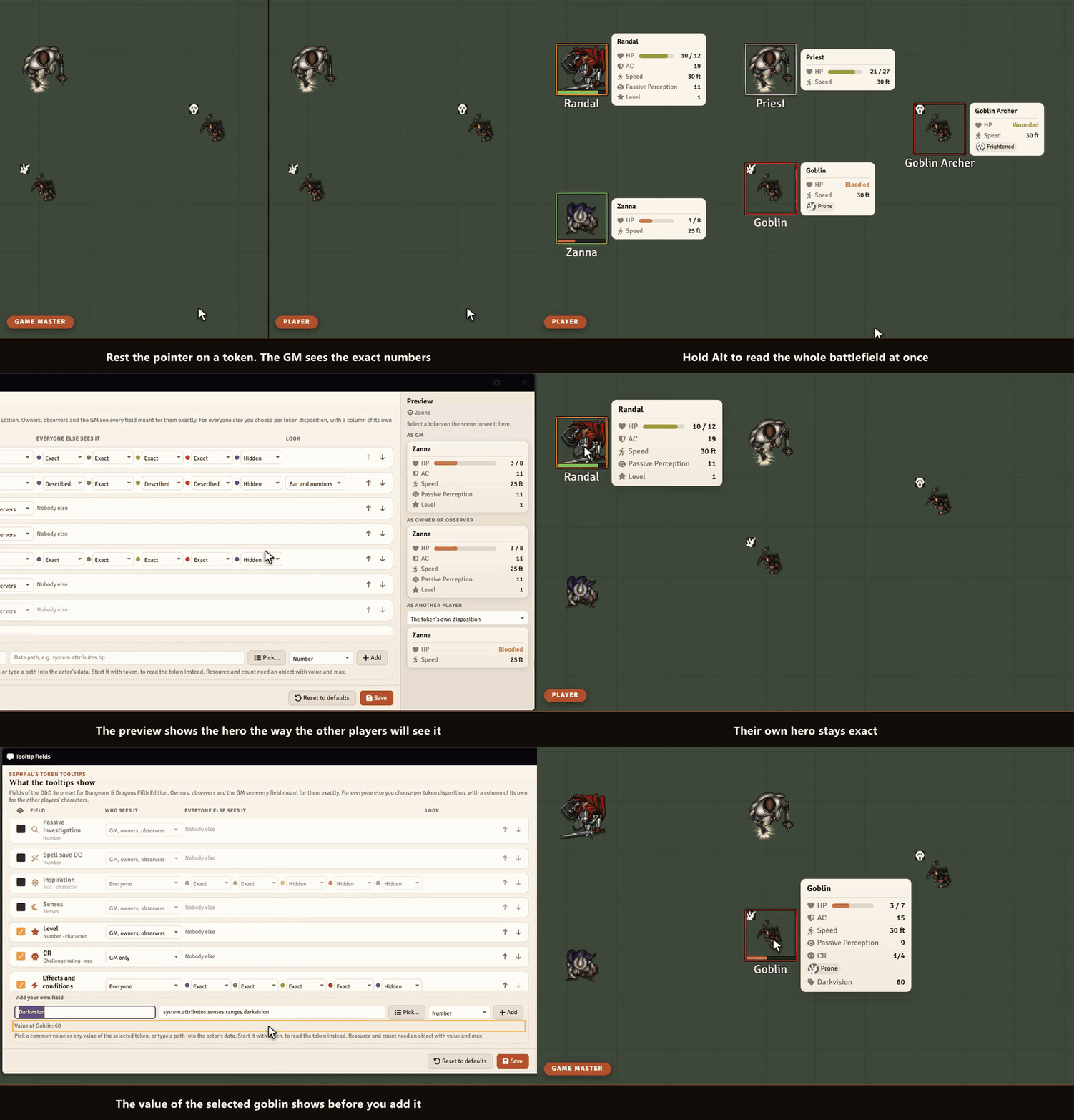
"How hurt is the goblin?" "What was my armor class again?" Rest the pointer on a token and the answer is right there: health as a bar or a word like bloodied, armor, speed and every condition. You decide what each player gets to see.
Highlights
- One glance, no sheet: health, armor, speed, conditions and more appear next to the token after a short pause.
- Words instead of numbers: players see that the ogre is bloodied or near death without learning its hit points.
- You decide who sees what: every value has its own audience, from GM only to everyone, and its own form for friends, neutrals, foes and secret tokens.
- A column for the party: choose how players see each other's heroes, for example how hurt a friend is without the exact hit points. Friendly NPCs keep their own setting.
- Observers see like owners: a player who may observe a character sees its tooltip just like its owner.
- Ready for your system: presets for D&D 5e, Pathfinder 2e, Savage Worlds and Crucible. Any other system shows the token bars and conditions right away.
- More when you need it: values often needed in play, such as passive Insight, the spell save DC or hero points, wait in the list for a tick.
- Your own values with a click: pick from the common values of your system or from every value of a token, see its current value and add it.
- Live preview: see a token as the GM, as its owner, as another player and as a party member before you save.
- All tooltips at once: hold Alt and every visible token shows its tooltip.
- Safe by design: hidden tokens stay hidden, and names follow each token's own name display.
How it works
- Enable the module. Rest the pointer on a token and its tooltip appears.
- As GM, open Configure fields in the module settings, tick the values you want and choose what players see.
- Hold Alt during a fight to read the whole battlefield at once.
Good to know
Players can only ever see what the GM allows. Like every value that reaches a player's browser, the data behind a tooltip could still be read by a player who opens the browser tools.
Install
Search for Token Tooltips in Foundry's module browser or open the package page.
Foundry VTT 13 and 14 · any game system · English and German
Learn more
Every field, setting and the API for other modules are explained in the manual. Questions or ideas? Join us on Discord. Looking for more? See all modules by Sephral.
License
See LICENSE.md.
Comments(0)
Sign in to join the discussion.