Sephral’s Module Loadouts
by Sephral
Claimed by sephral
v1.0.9
0.0% installs
Updated Nov 20, 2026
Install
Description
Sephral’s Module Loadouts
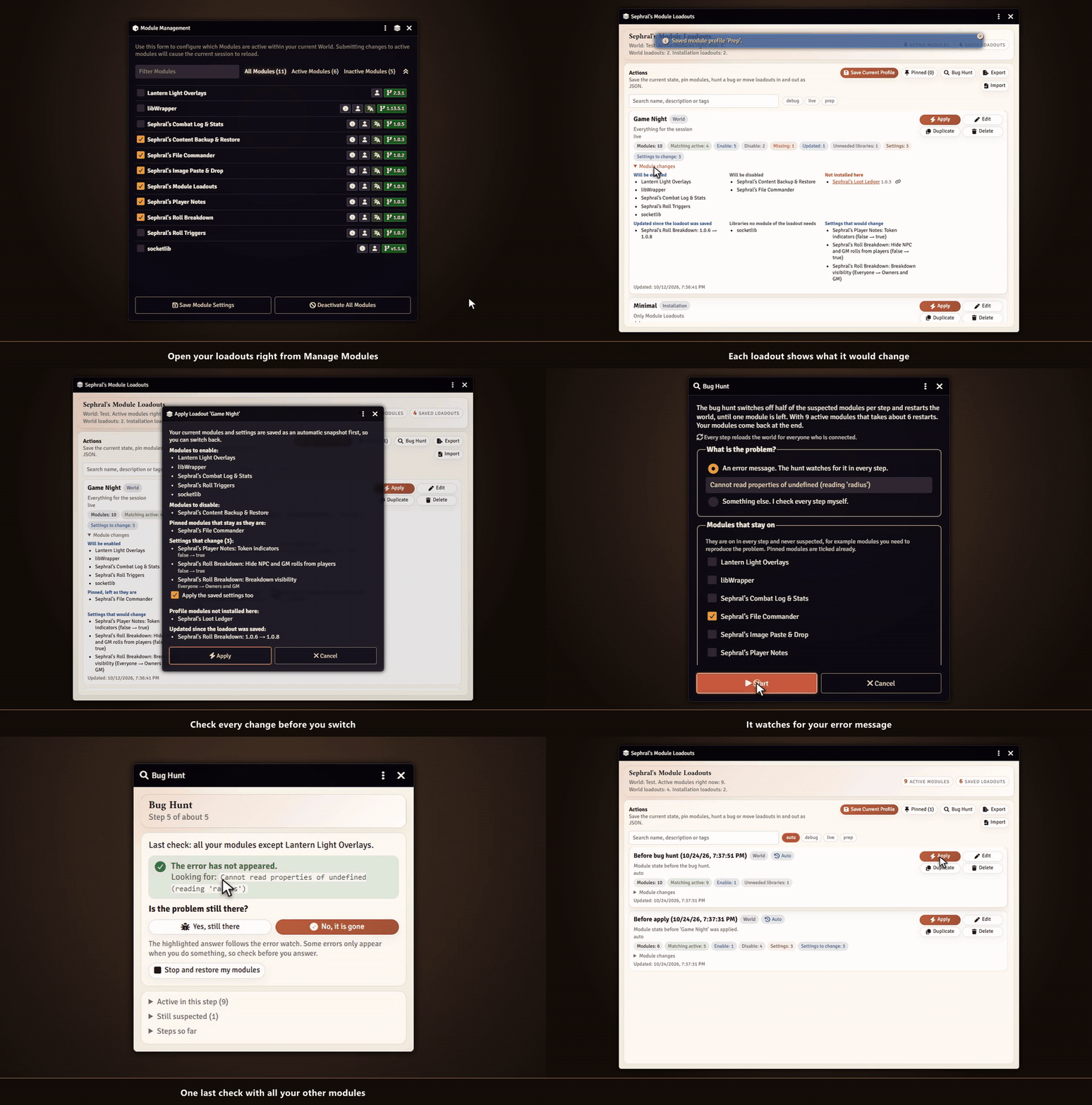
All modules for game night, a lean set for prep, almost nothing while you hunt a bug. Module Loadouts saves each setup as a loadout and switches between them with one click. If something breaks, it finds the module behind it.
Highlights
- Save your setup: store the active modules as a named loadout with a description and tags.
- Bring your settings along: a loadout can carry the world settings of its modules. Start a new world, apply your loadout and the modules arrive configured.
- See before you switch: every loadout shows which modules it would enable, disable or cannot find, which settings would change and which modules were updated since you saved it.
- Undo included: before every switch your current modules and settings are saved automatically. One click takes you back.
- Checked after the restart: the next start tells you if a module of the loadout did not come up or threw errors, and offers to undo the switch right there.
- Bug hunt: something broke and you do not know which module did it? The bug hunt switches off half of the suspects per restart, watches for your error message and names the culprit after a few steps. Your modules come back at the end.
- Pinned modules: keep your favorites exactly as they are, whatever loadout you apply.
- No broken worlds: required dependencies are switched on for you, and missing ones stop the switch before anything breaks. Missing modules link to their package page.
- One world or all of them: keep a loadout in a single world or share it with every world, every gamemaster and every browser of your installation.
- Stay organized: tags, search, duplicates for variants and a JSON export to back up or share your loadouts, with a preview on import.
- Right where you need it: open the manager from Foundry's Manage Modules window or from the settings. A hotbar macro switches loadouts too.
How it works
- Open Manage Modules and click the layers icon in its title bar.
- Save your current setup as a loadout, for example Game Night, with or without its settings.
- Later, pick a loadout such as Prep, Minimal or Debug and apply it.
Install
Search for Module Loadouts in Foundry's module browser or open the package page.
Foundry VTT 13 and 14 · any game system · English and German
Learn more
The manual explains world and installation loadouts, settings in a loadout, pinned modules, the bug hunt, the undo snapshots, export and import and the macro API.
Questions or ideas? Join us on Discord. Looking for more? See all modules by Sephral.
License
See LICENSE.md.
Comments(0)
Sign in to join the discussion.