Sephral’s Image Paste & Drop
by Sephral
Claimed by sephral
v1.0.15
0.1% installs
Updated Nov 20, 2026
Install
Description
Sephral’s Image Paste & Drop
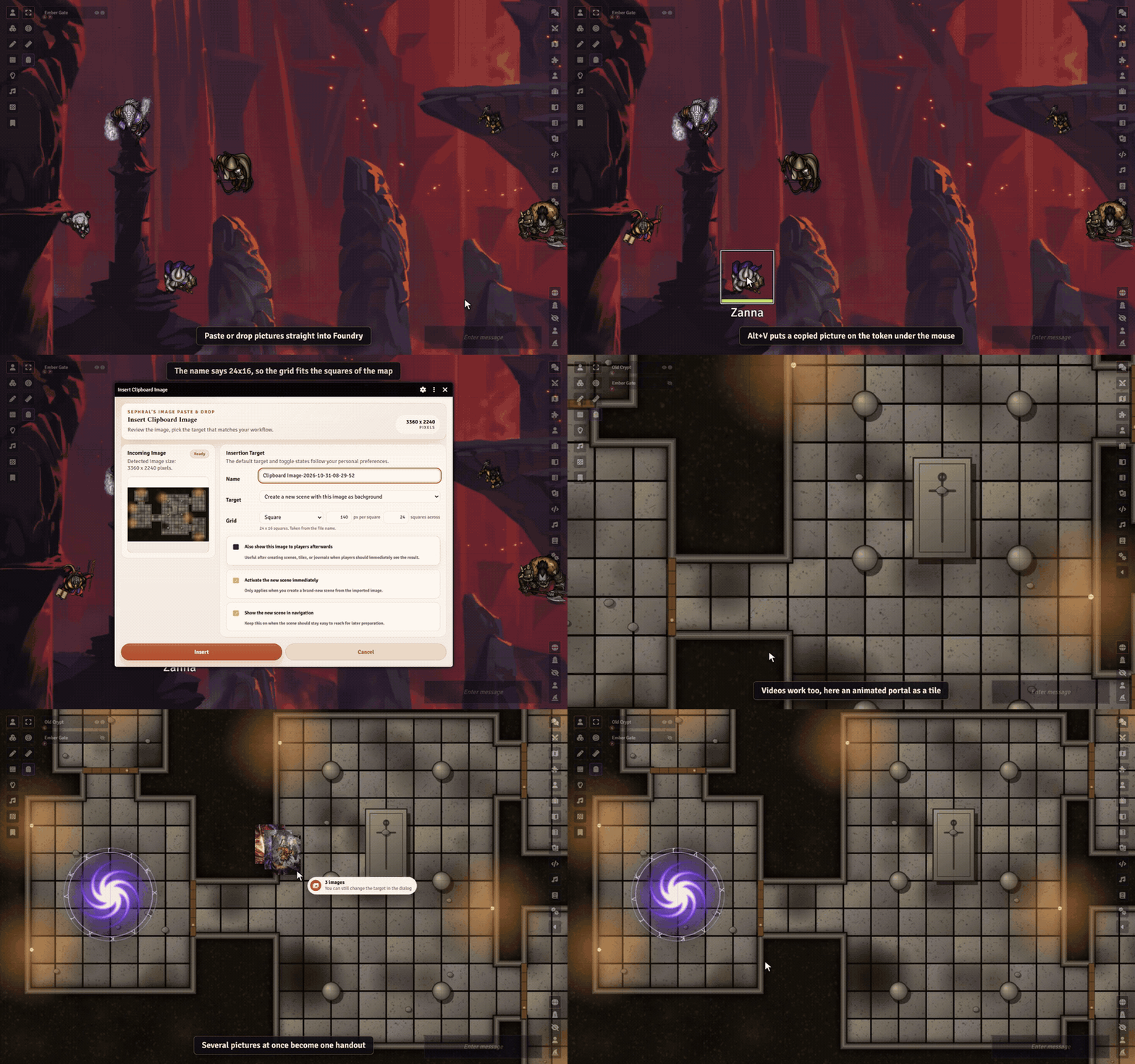
Found the perfect map online? Press Ctrl+V. Image Paste & Drop turns any image from your clipboard, your desktop or a web page into a scene, a tile, a handout or a picture for your players, in seconds.
Highlights
- Paste or drop: paste a screenshot or a copied image address with Ctrl+V, or drag an image file or a picture from your browser onto Foundry.
- You decide what it becomes: a new scene with the image as its background, the background or foreground of the current scene, a tile, a journal page, a map pin, a token image, an actor portrait, a chat post or a picture shown to all players or just the ones you pick.
- Drop it where it belongs: drop an image onto a token, a tile or an open sheet and it becomes that picture. A soft glow shows where it will land.
- Several images at once: one handout with a page each, a grid of tiles or a new scene per map.
- The grid fits the map: square or hexagons, either way up. The grid printed on the map is found for you and Foundry's grid lies right on it. Nothing found? Drag across a few cells to measure it. A map named
Tavern 30x20works too. - Animated maps too: drop a WebM or MP4 video and it plays as scene background, tile, token or handout.
- One key and done: Alt+V sends the copied image to your usual target, Alt+P shows it to your players at once.
- No file juggling: the image is uploaded and filed away for you, never stored twice. Huge images can be shrunk and saved as WebP, and the dialog shows how small the file will be.
- Image links too: copy an image address in your browser and paste it.
- Token pictures, made ready: drop a plain background, cut to a square, add one of 14 drawn frames in the owner's color or your own, and see it live. Choose whether the token, the prototype or the portrait too gets it, and bring a replaced picture back.
- Players can join in: let players show images or give their own token a new look, with the permissions you choose.
- Remembers your routine: set a default target or reuse the last one, so the next image takes a single click.
How it works
- Copy an image or an image address, or grab a file from your desktop.
- Press Ctrl+V anywhere outside a text field, or drop it onto Foundry.
- Pick a target in the preview dialog and confirm.
By default only the GM can use it. Player access is one setting away.
Install
Search for Image Paste & Drop in Foundry's module browser or open the package page.
Foundry VTT 13 and 14 · any game system · works on The Forge · English and German
Learn more
The manual explains every target, the player permissions, where images are stored and how to choose your own storage folder.
Questions or ideas? Join us on Discord. Looking for more? See all modules by Sephral.
License
See LICENSE.md.
Comments(0)
Sign in to join the discussion.