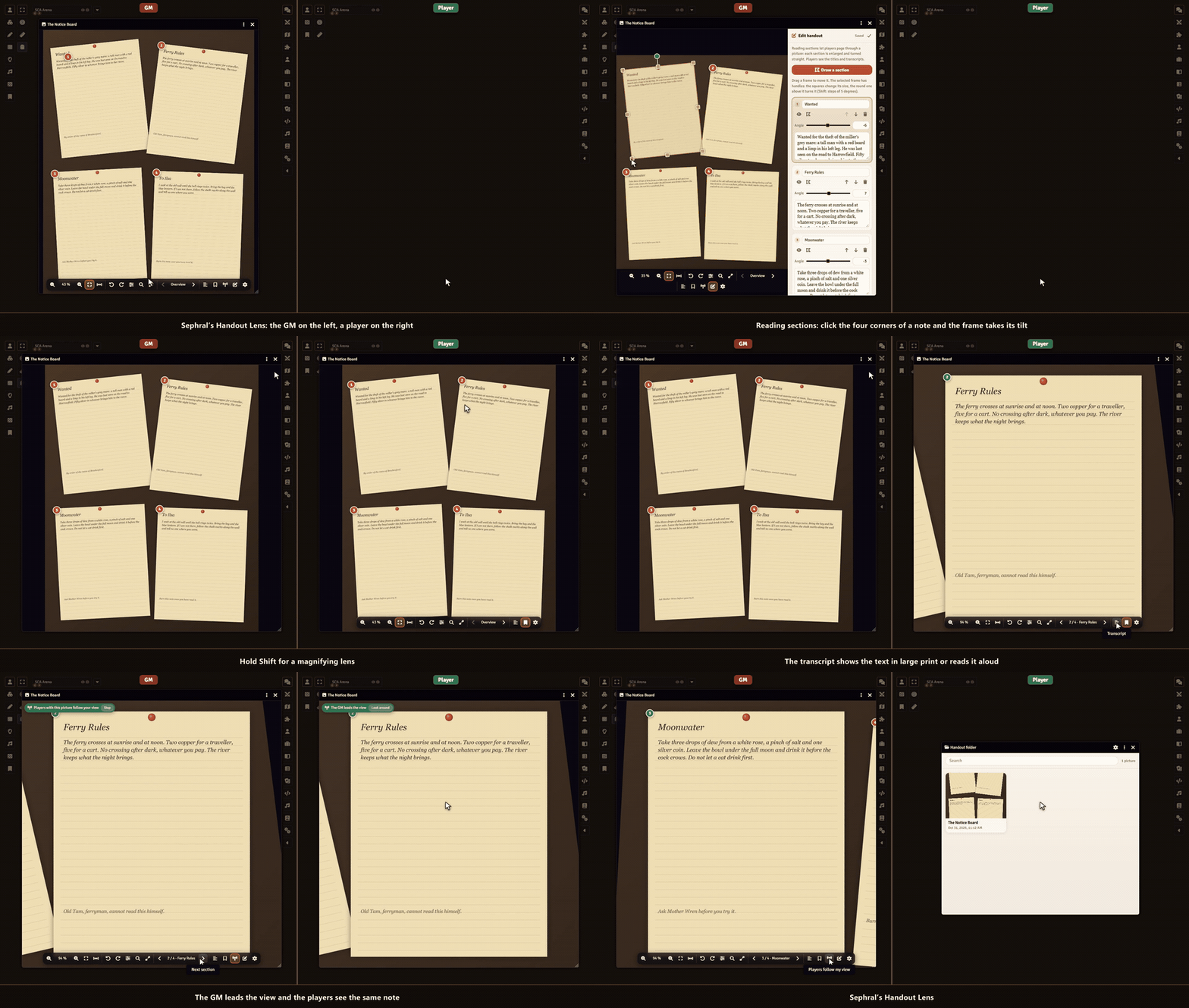
Sephral’s Handout Lens
by Sephral
Sephral’s Handout Lens
The GM shows a letter, four torn diary pages or an old map, and the writing is too small to read. Handout Lens turns every shown picture into something players can actually read: zoom in, hold Shift for a magnifying lens, page through the notes one by one and keep every handout in a folder.
Highlights
- Zoom where you point: mouse wheel, trackpad pinch, two fingers on a tablet, double click or keys. Up to 800 % and back to the whole picture with one click.
- A magnifying lens: hold Shift and a round lens follows the mouse. The wheel changes its strength.
- Reading aids: contrast, brightness, grayscale, light on dark and a turn by any angle, so faded or tilted writing becomes readable.
- Reading sections: the GM frames each note once. Players page through them, and every note fills the window, turned straight.
- Transcripts read aloud: the GM can add the text of each note. Players read it in large print beside the picture or let the browser read it to them.
- Follow the GM: the GM zooms to a detail and every player with the picture open sees the same. Players can look around alone and follow again with one click.
- A handout folder for every player: each picture the GM shows lands in the player's folder, ready to open again next session. Players who join late get the picture the GM just showed.
- Reading mode: full screen, nothing but the picture.
How it works
- Enable the module. Every image window in Foundry now has a toolbar at the bottom.
- Show a picture to your players as usual, with the eye button of an image or a journal page.
- Optional: click the pencil in the toolbar, draw a frame around each note and type its transcript.
Good to know
Writing stays blurry when the picture itself has too few pixels, and the GM gets a note when a shown picture is that small. While another module that zooms Foundry's image windows is active, Handout Lens leaves those windows to it.
Install
Search for Handout Lens in Foundry's module browser or open the package page.
Foundry VTT 13 and 14 · any game system · English and German
Learn more
The toolbar, the keys, the reading sections and the settings are explained in the manual. Questions or ideas? Join us on Discord. Looking for more? See all modules by Sephral.
License
See LICENSE.md.
Comments(0)
Sign in to join the discussion.