Sephral’s Update Guard
by Sephral
Sephral’s Update Guard
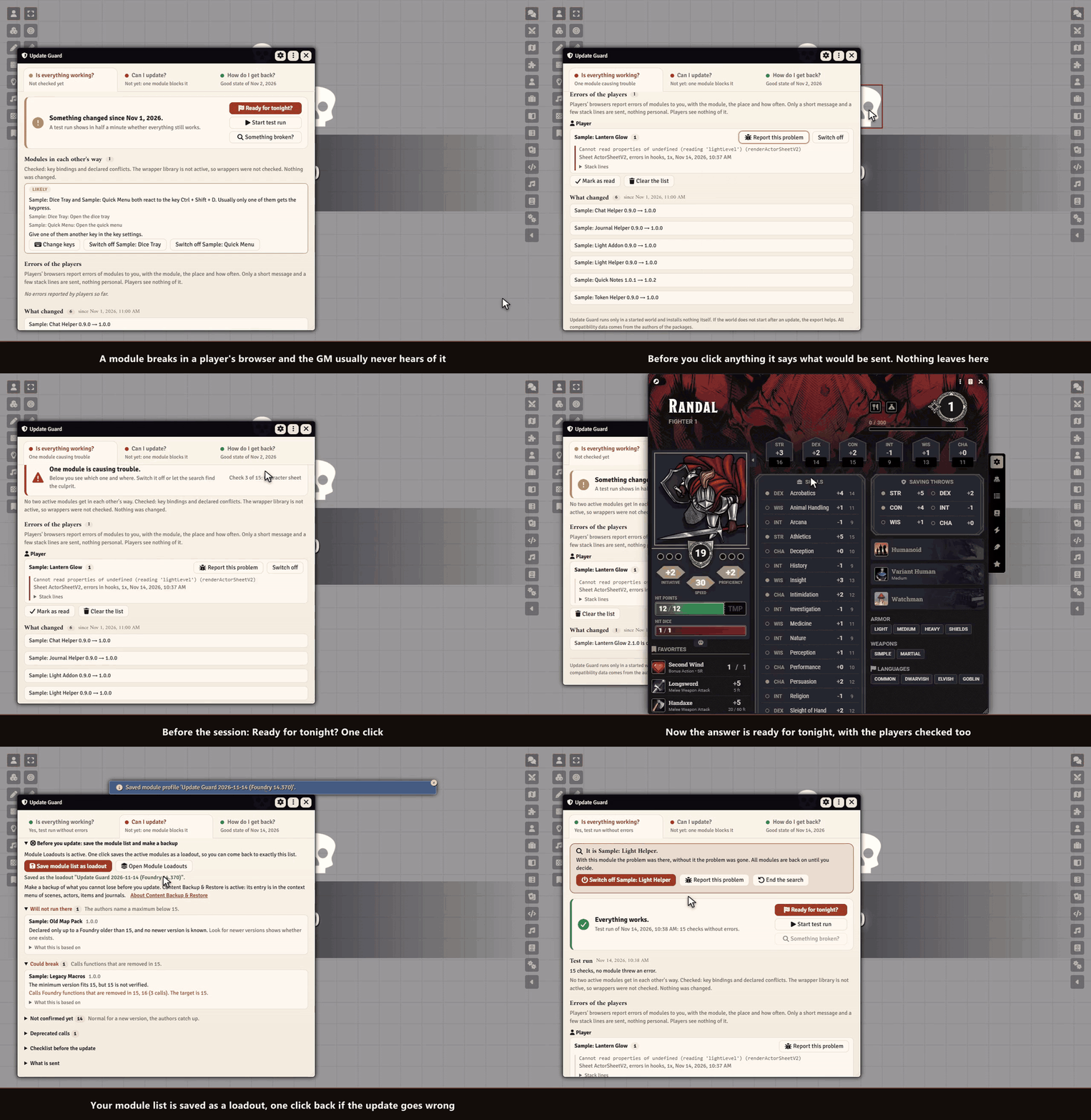
Is my world ready for tonight? One click answers it for you and your players. If something broke, Update Guard finds the module behind it, helps you report it, and shows you what is ready for the next Foundry and how to get back.
Highlights
- Ready for tonight? One click before the session: a test run, the errors your players had, and whether their browsers run your versions. One answer, one next step.
- Errors of your players: a module breaks in a player's browser and you hear about it, with module, player and place. Nothing personal is sent.
- Report in one step: Update Guard checks on your click whether the problem is known on GitHub and writes a ready bug report.
- Modules in each other's way: two modules on the same key, modules their authors say do not work together, two modules that replace the same part of Foundry. One sentence with both names and what to do.
- Test run: one click opens what a game night opens and closes it again. You see which module threw an error and where. Your world is not changed.
- Find the module: the search narrows it down in a few rounds, and everything is as it was.
- Can I update? Pick a Foundry version and see in one sentence what stands in the way. Save your module list before you update.
- What changed and the way back: every change with its changelog, the last state that worked, and the steps back.
How it works
- Enable the module.
- Before the session click Ready for tonight?. After an update the window opens by itself.
- All good? Play. Something wrong? Report it, switch the module off or let the search find it.
Good to know
Update Guard runs only in a started world and cannot install or roll back anything, because Foundry does that on its setup screen. It shows the way. Verified means what the author wrote into the manifest, no promise that nothing breaks. Only the GM sees the windows.
Install
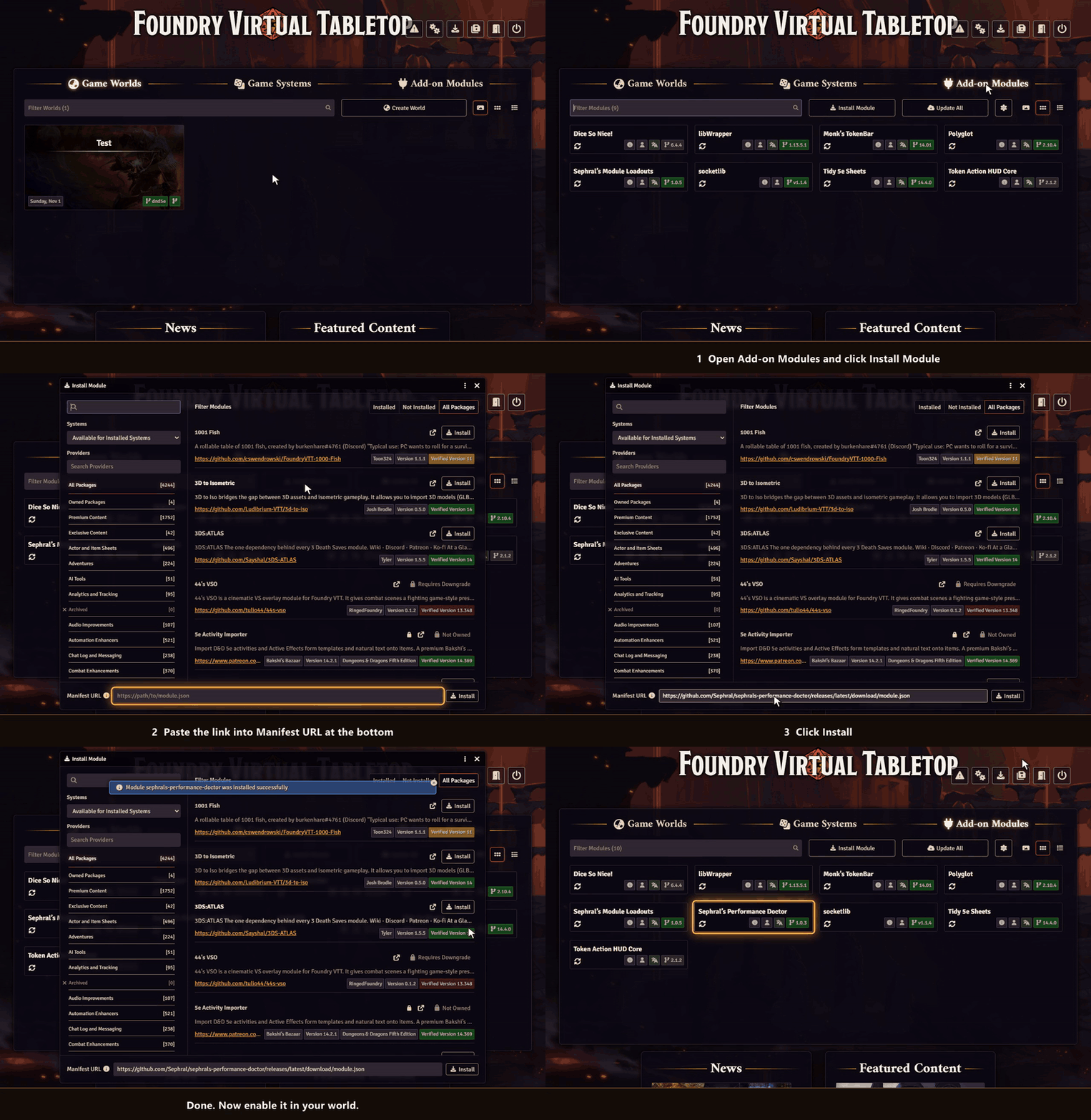
Update Guard is not in Foundry's module search. Copy this link:
https://github.com/Sephral/sephrals-update-guard/releases/latest/download/module.json- In Foundry's setup screen open Add-on Modules and click Install Module.
- Paste the link into Manifest URL at the bottom of the window.
- Click Install, then enable the module in your world.
On The Forge open the Bazaar, click Install From Manifest and paste the link.
Foundry VTT 13 and 14 · any game system · English and German
Learn more
What each rating means, what the players' browsers and the online check send, and every setting are explained in the manual. Questions or ideas? Join us on Discord. Looking for more? See all modules by Sephral.
License
See LICENSE.md.
Comments(0)
Sign in to join the discussion.