Sephral’s Map Pins
by Sephral
Claimed by sephral
v1.0.7
Updated Nov 22, 2026
Install
Description
Sephral’s Map Pins
Pins on a big map you can finally read: names that stay visible, numbers that count up, a preview when you point at one, pins your players discover, quest marks, routes, the party's place on the map and labeled realms.
Highlights
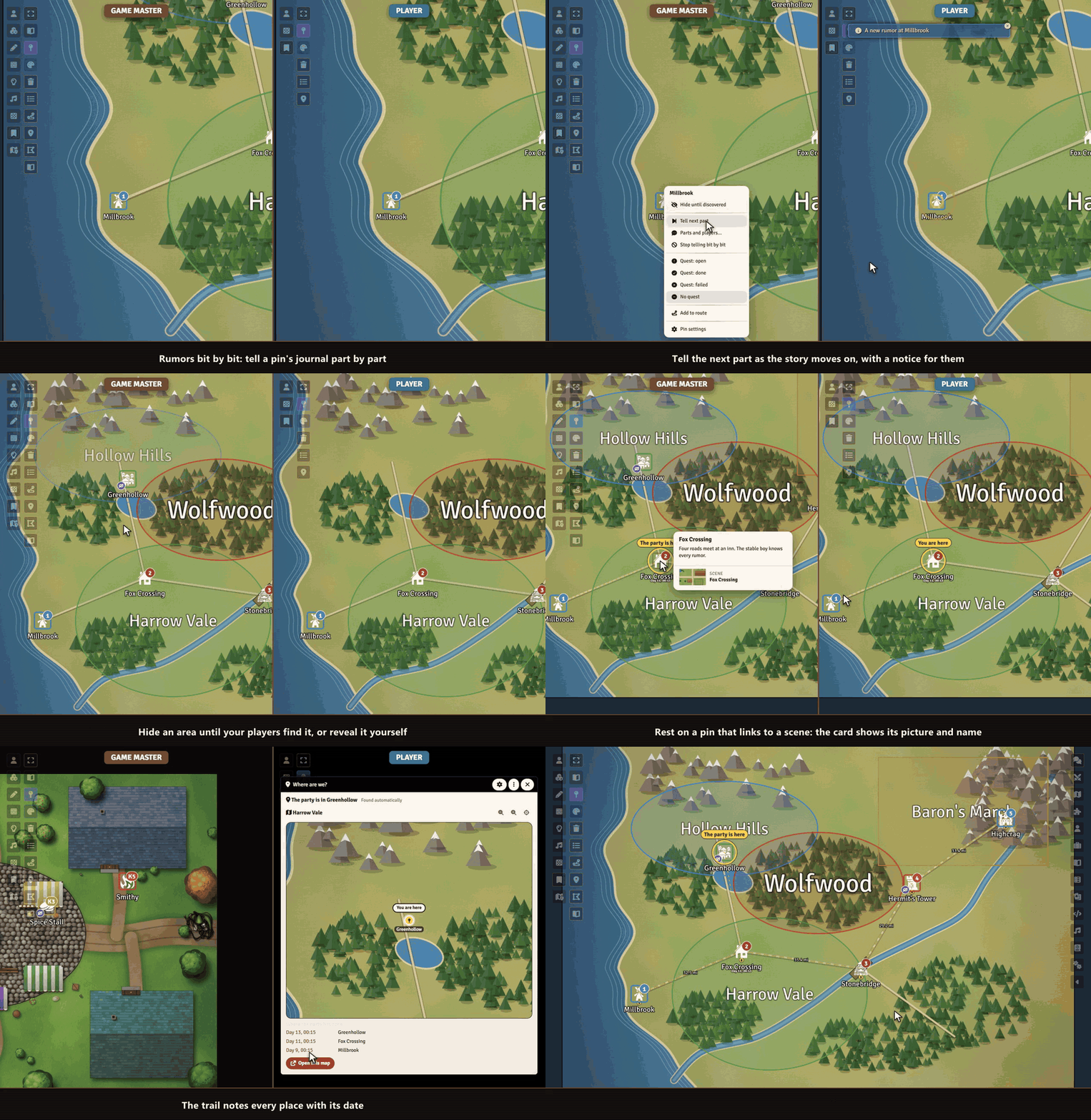
- Where are we? The pin of the party's place lights up on your overland map. From inside a town or a dungeon, one click shows the map above, with a trail of dates.
- Areas: a realm or a danger zone with a large label in its category color and a journal preview. Hide it until your players explore it.
- Rumors bit by bit: tell a pin's journal part by part. Players see only what you told, with a new mark and a notice.
- Pins you discover: hide a pin until your players find it, by exploring its place or by your reveal.
- Quest marks: open, done or failed, on the pin and in the list.
- Map key: one click makes a handout with a page per numbered pin.
- Routes and travel time: pick pins in order to see distance and time, and share the route with your players.
- Readable pins: labels that stay visible, no dark box, a steady size while zooming, numbers like
12orB3, category rings. - Preview on hover: title, picture, a thumbnail of the linked scene and the first lines of the journal, for players too, within their rights.
- Pin list: search and filter every pin of the scene.
- Pins by players: players click the map to add a pin, and you confirm.
- Scene links: a double click on a pin switches to another scene.
- Bring your old pins: one button takes over the look of your old pins.
Everything works on normal Foundry notes and drawings. Switch the module off and your pins are still there.
How it works
- Enable the module.
- Open a pin's note settings and look at the new section Map Pins, or click Pin list in the notes controls on the left.
- Set the look for the whole world in the module settings, and change single pins when they need to differ.
Install
Map Pins is not in Foundry's module search. Copy this link:
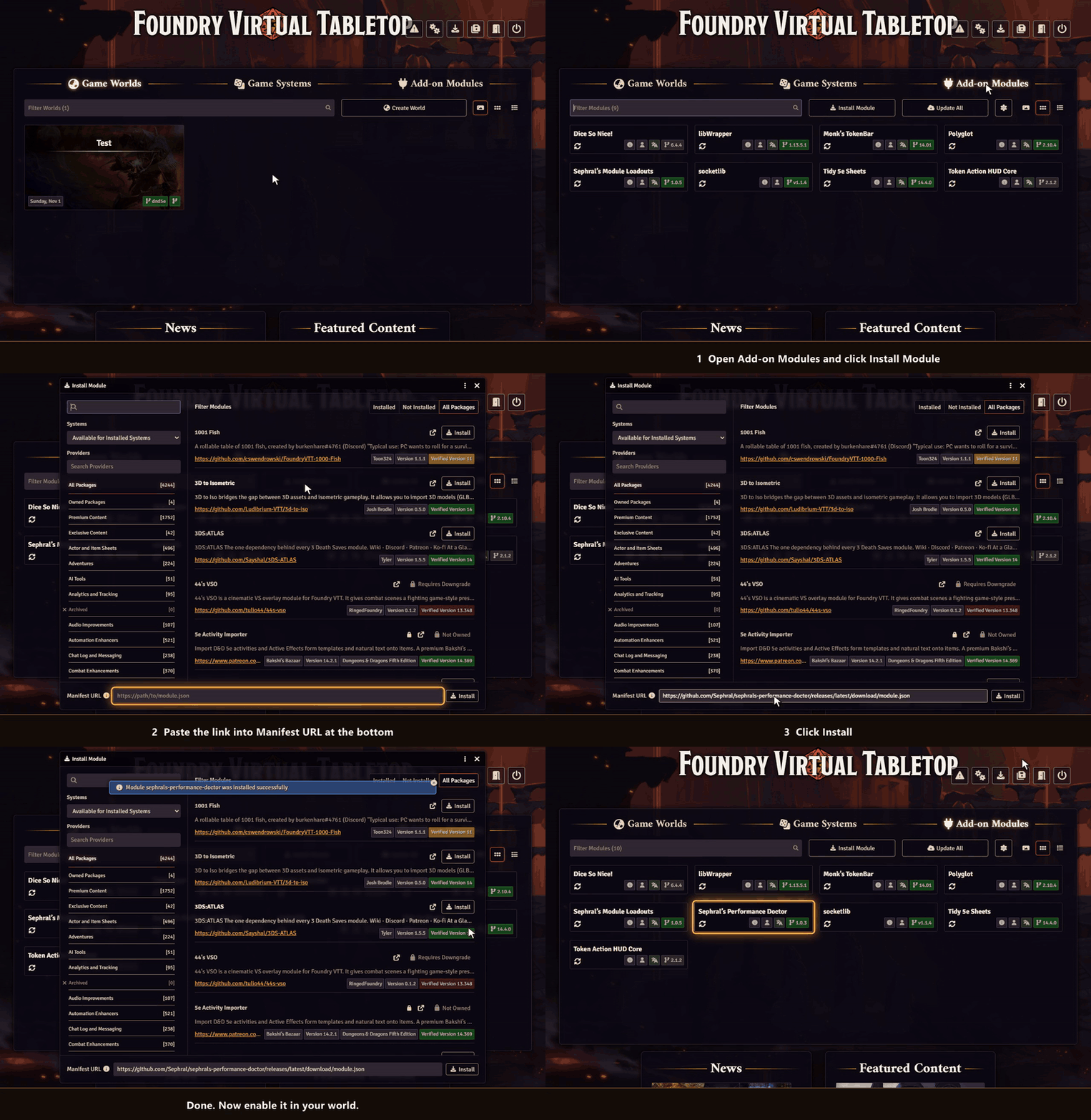
https://github.com/Sephral/sephrals-map-pins/releases/latest/download/module.json- In Foundry's setup screen open Add-on Modules and click Install Module.
- Paste the link into Manifest URL at the bottom of the window.
- Click Install, then enable the module in your world.
On The Forge open the Bazaar, click Install From Manifest and paste the link.
Foundry VTT 13 and 14 · any game system · English and German
Learn more
Every setting and the macro API are explained in the manual. Questions or ideas? Join us on Discord. Looking for more? See all modules by Sephral.
License
See LICENSE.md.
Comments(0)
Sign in to join the discussion.