Sephral’s Instant Replay
by Sephral
Sephral’s Instant Replay
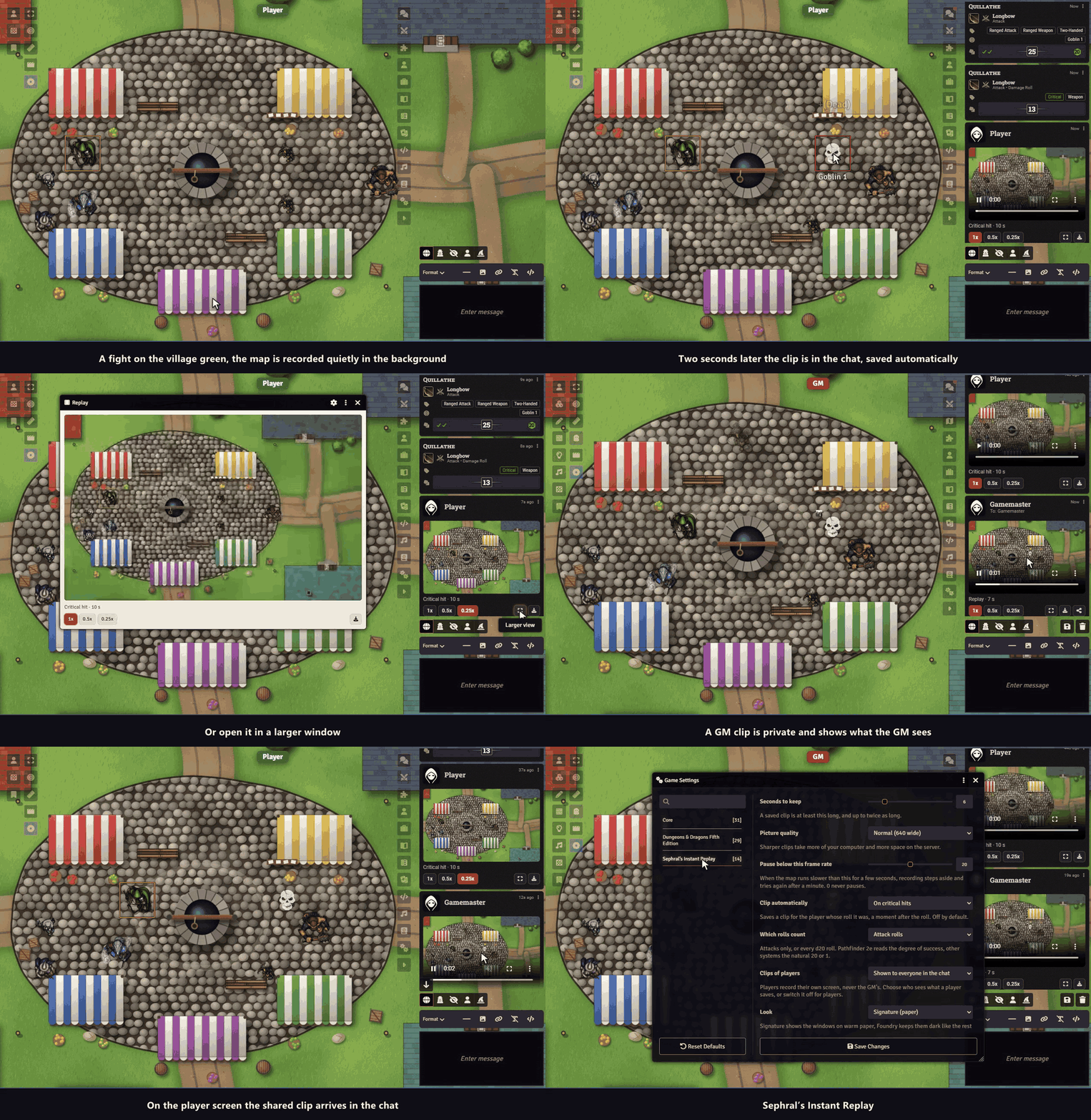
The barbarian rolls a natural 20, the table roars, and nobody can say what the map looked like. Instant Replay keeps the last seconds of the battle map ready. One click and they are a short clip in the chat, in slow motion if you like.
Highlights
- One click: the clapperboard in the token controls saves the last seconds of the map as a clip and posts it in the chat with a player, slow motion buttons and a download.
- Automatic on the big moments: if the GM wants it, a critical hit or a fumble saves a clip a moment later for the player who rolled. Natural 20 and 1 in most systems, the degree of success in Pathfinder 2e. Off by default.
- Everybody sees only their own map: each screen records what its own player sees, so hidden things stay hidden. A GM’s clip stays private until the GM shows it.
- Light on the computer: a small picture at ten frames a second, copied in a fraction of a millisecond. On a slow screen the recording pauses by itself and tries again later.
- Easy to share: the clip is a plain video file. Download it and post it wherever your group talks.
How it works
- Enable the module. Every screen starts keeping the last seconds of its map.
- Click the clapperboard in the token controls on the left. The clip appears in the chat.
- As GM, choose in the settings whether critical hits and fumbles save a clip by themselves, and whether players’ clips are shown to everyone or only to you.
Good to know
Only the map is recorded. Windows, the chat and dice that are drawn on top of the page are not part of the clip.
Install
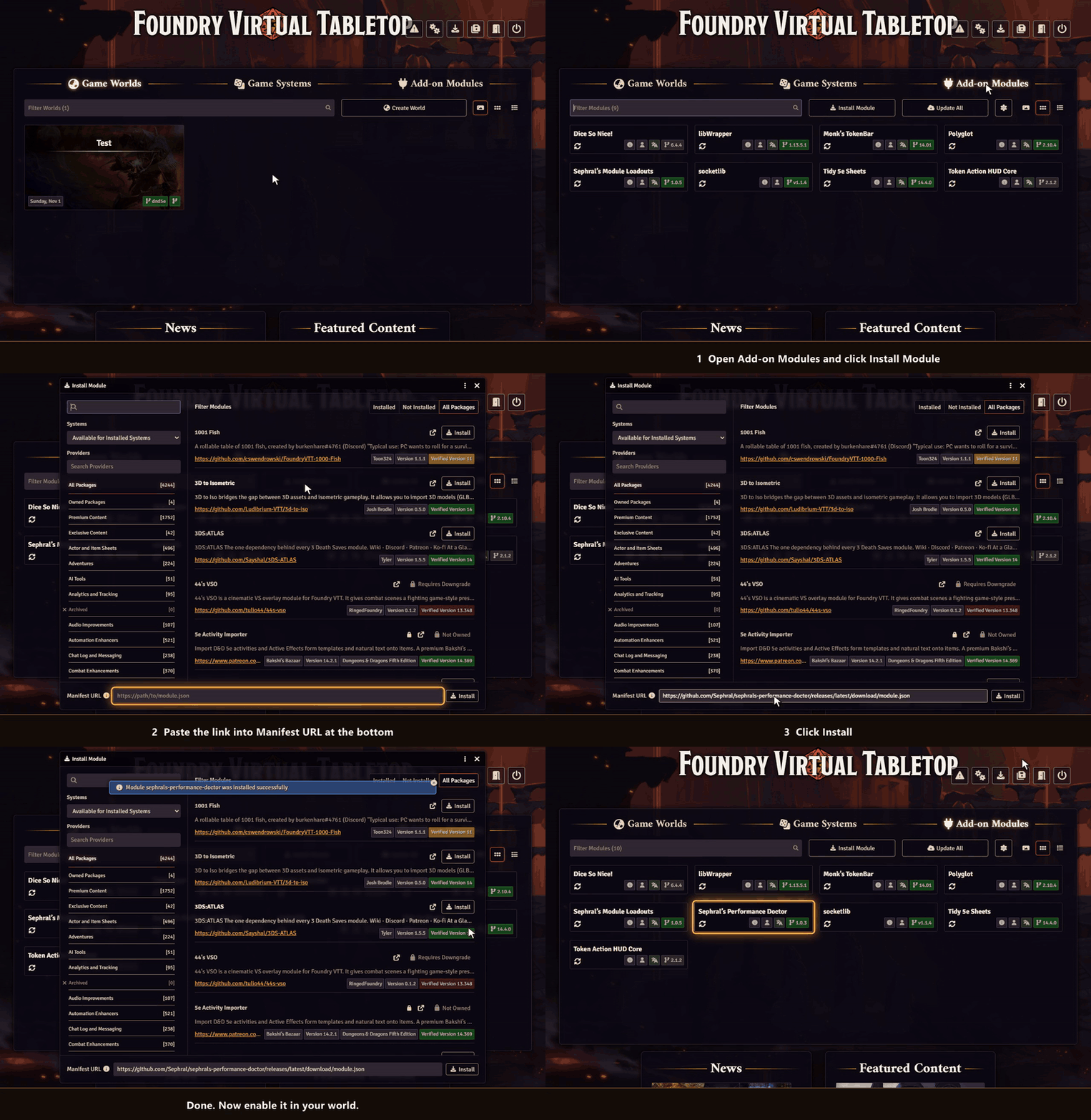
Instant Replay is not in Foundry’s module search yet. Install it with this link:
https://github.com/Sephral/sephrals-instant-replay/releases/latest/download/module.json- In Foundry’s setup screen open Add-on Modules and click Install Module.
- Paste the link into Manifest URL at the bottom of the window.
- Click Install, then enable the module in your world.
On The Forge open the Bazaar, click Install From Manifest and paste the link.
Foundry VTT 13 and 14 · any game system · English and German
Learn more
Every setting, the clip window and the macro API are explained in the manual. Questions or ideas? Join us on Discord. Looking for more? See all modules by Sephral.
License
See LICENSE.md.
Comments(0)
Sign in to join the discussion.