Sephral’s First Table
by Sephral
Sephral’s First Table
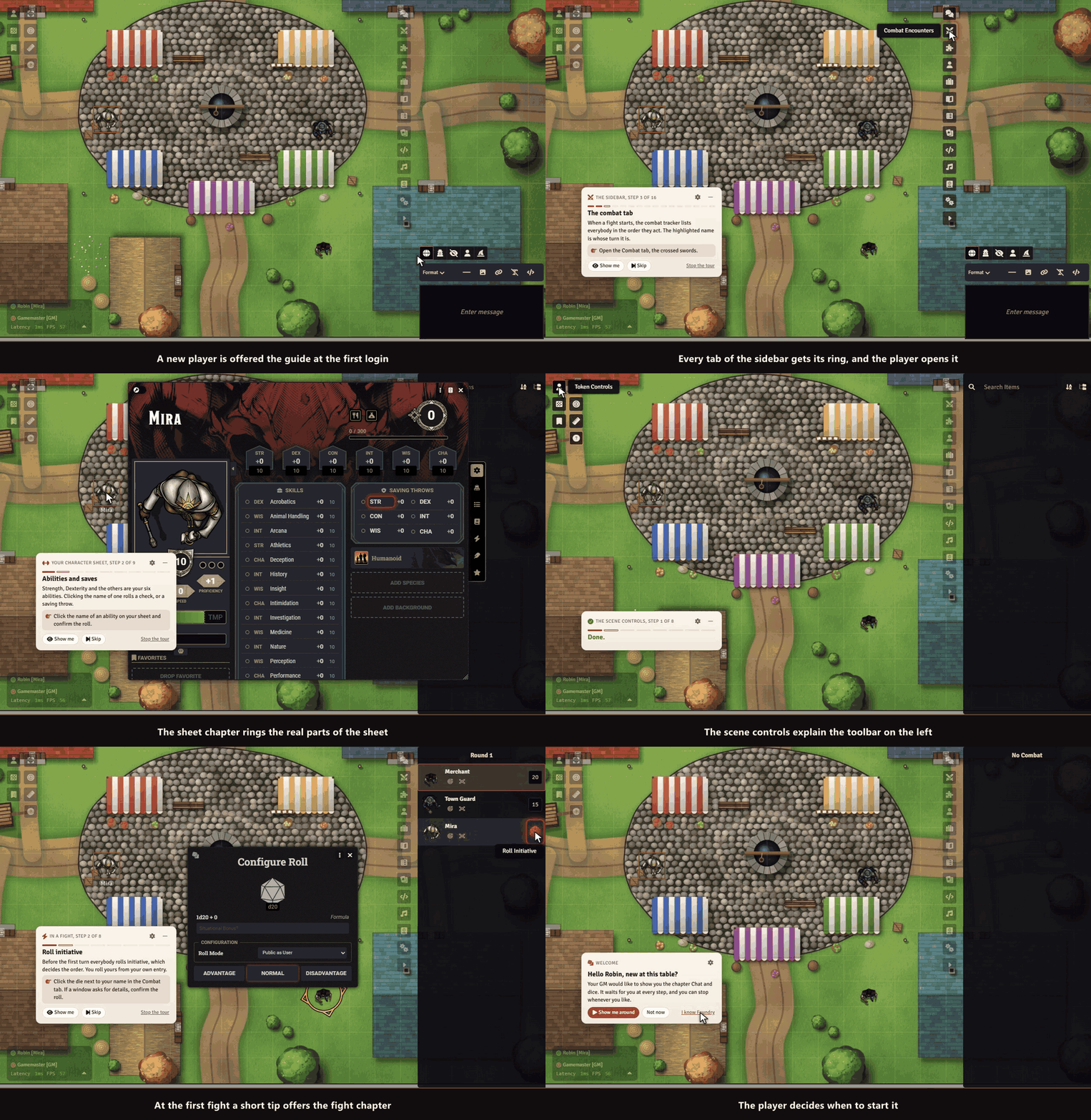
A new player joins your game and has no idea where to click. You are busy running the table, and nobody wants to explain the same ten things again. First Table gives every new player a short, friendly first session of their own, started by itself at their first login.
Highlights
- You do nothing. A small card welcomes a new player at the first login and offers the tour. No setup, no popup for you.
- It waits for the player. Every step goes on only after the player has really done it: opened the sheet, rolled, moved, targeted, pinged, measured, chatted and looked into the journal.
- Made for your game system. The roll step speaks the language of D&D 5e, Pathfinder 2e, SWADE and Crucible, and any other system gets a general text.
- Quiet and small. One card in the corner, never in the way of the map. Fold it to a pill, drag it aside, skip any step, stop whenever you like.
- Your table, your steps. Leave out steps you do not want, start the tour for a player yourself, and mark veterans as experienced.
- You see who finished. The overview lists every player with their progress.
- Come back any time. A small question mark in the controls and the module settings restart the tour.
- English and German. The tour speaks the language of each player.
Nothing is changed in your actors, scenes or chat. The module only remembers how far each player got.
How it works
- Enable the module in your world.
- Players who log in for the first time get the offer and take the tour at their own speed.
- Open the player overview from the module settings to see who is done, or to start the tour for someone.
Good to know
A world that is already in use starts with the offer switched to "only when I start it for a player", so your regulars are never surprised. You can change that in the settings.
Install
First Table is not in Foundry's module search. Copy this link:
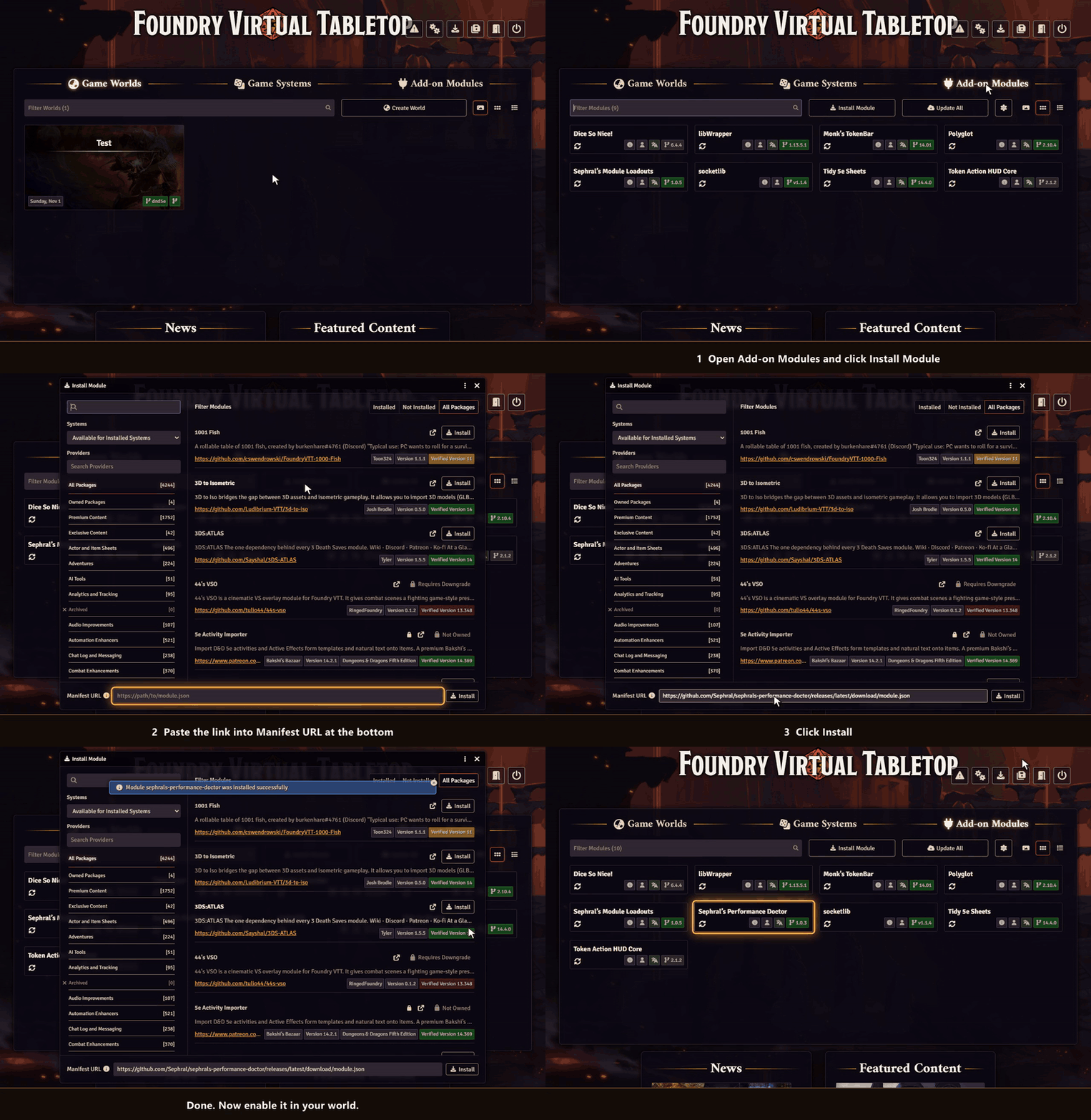
https://github.com/Sephral/sephrals-first-table/releases/latest/download/module.json- In Foundry's setup screen open Add-on Modules and click Install Module.
- Paste the link into Manifest URL at the bottom of the window.
- Click Install, then enable the module in your world.
On The Forge open the Bazaar, click Install From Manifest and paste the link.
Foundry VTT 13 and 14 · any game system · English and German
Learn more
Every setting and the macro API are explained in the manual. Questions or ideas? Join us on Discord. Looking for more? See all modules by Sephral.
License
See LICENSE.md.
Comments(0)
Sign in to join the discussion.