Sephral’s File Commander
by Sephral
Sephral’s File Commander
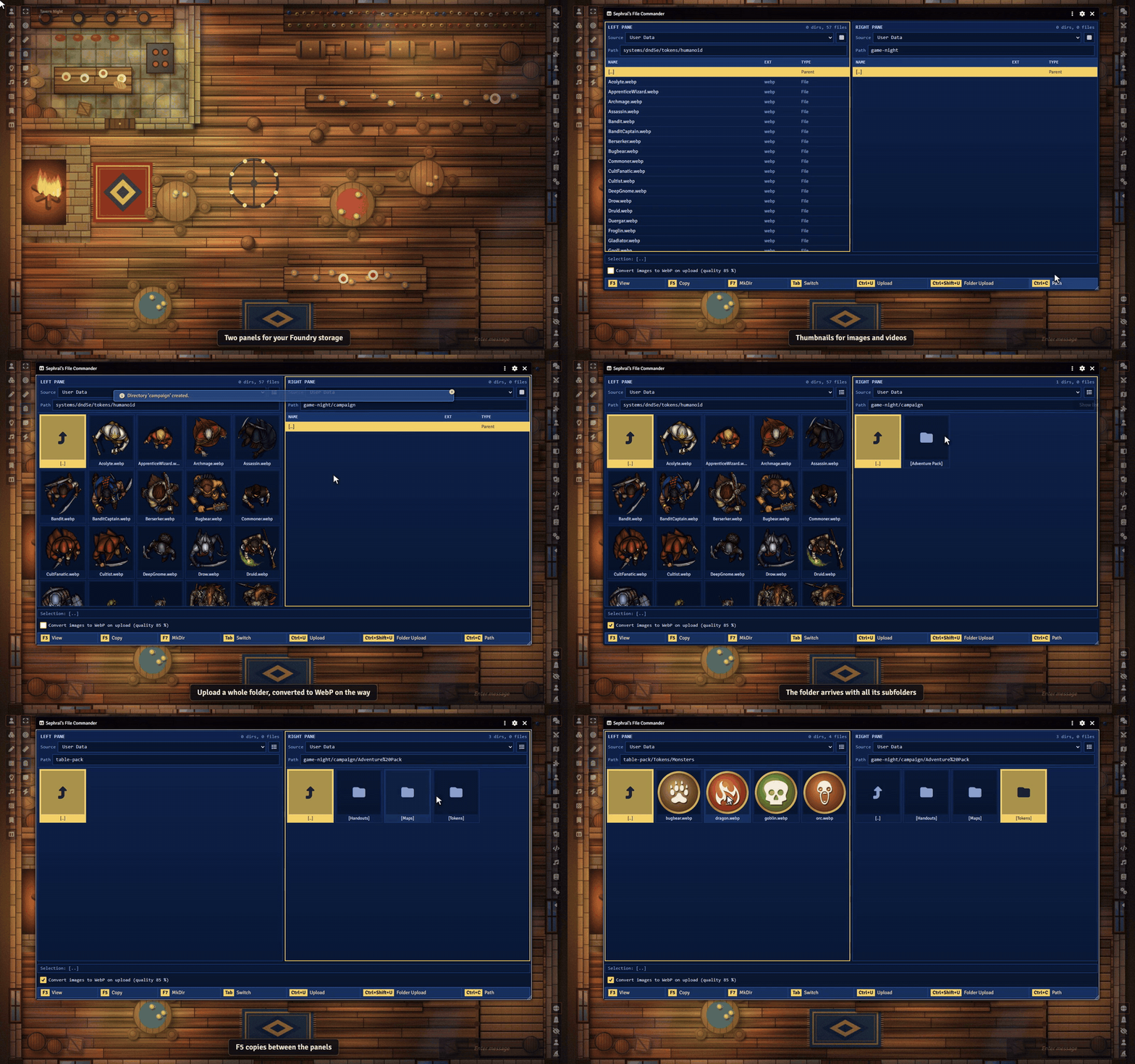
Foundry's file picker is made for picking a file. File Commander is made for managing them. Two panels side by side, full keyboard control and copying between folders, just like the classic commanders.
Highlights
- Two panels, one view: browse two folders side by side, for example your asset collection on the left and your world on the right.
- Copy whole folders: copy single files or complete folder trees from one panel to the other. Before anything gets overwritten, it asks.
- Keyboard first: arrow keys, Enter, Tab and the classic F keys. F3 views, F5 copies, F7 creates a folder.
- Upload where you are: upload files or whole folders from your computer straight into the active panel, drag them in from the desktop, and let images become smaller WebP files on the way.
- Thumbnails: switch a panel to a grid of thumbnails for images and videos.
- Look before you use: images and videos open in Foundry's image viewer, audio files play in a small player.
- Copy the path, paste it anywhere: Ctrl+C copies the path the way Foundry expects it, ready for token images, tiles or playlist sounds.
- Everywhere Foundry runs: User Data, Public, S3 and the Assets Library on The Forge.
How it works
- Click the File Commander icon in the scene controls on the left, or open it from the module settings.
- Pick a folder in each panel.
- Select, copy, upload. Done.
Good to know
Foundry does not let modules delete, move or rename files during a game session. File Commander sticks to what works safely everywhere: browse, copy, upload and create folders.
Install
Search for File Commander in Foundry's module browser or open the package page.
Foundry VTT 13 and 14 · any game system · English and German
Learn more
The manual lists every hotkey and setting, the permissions players need and how it works on The Forge.
Questions or ideas? Join us on Discord. Looking for more? See all modules by Sephral.
License
See LICENSE.md.
Comments(0)
Sign in to join the discussion.