Sephral’s Content Backup & Restore
by Sephral
Sephral’s Content Backup & Restore
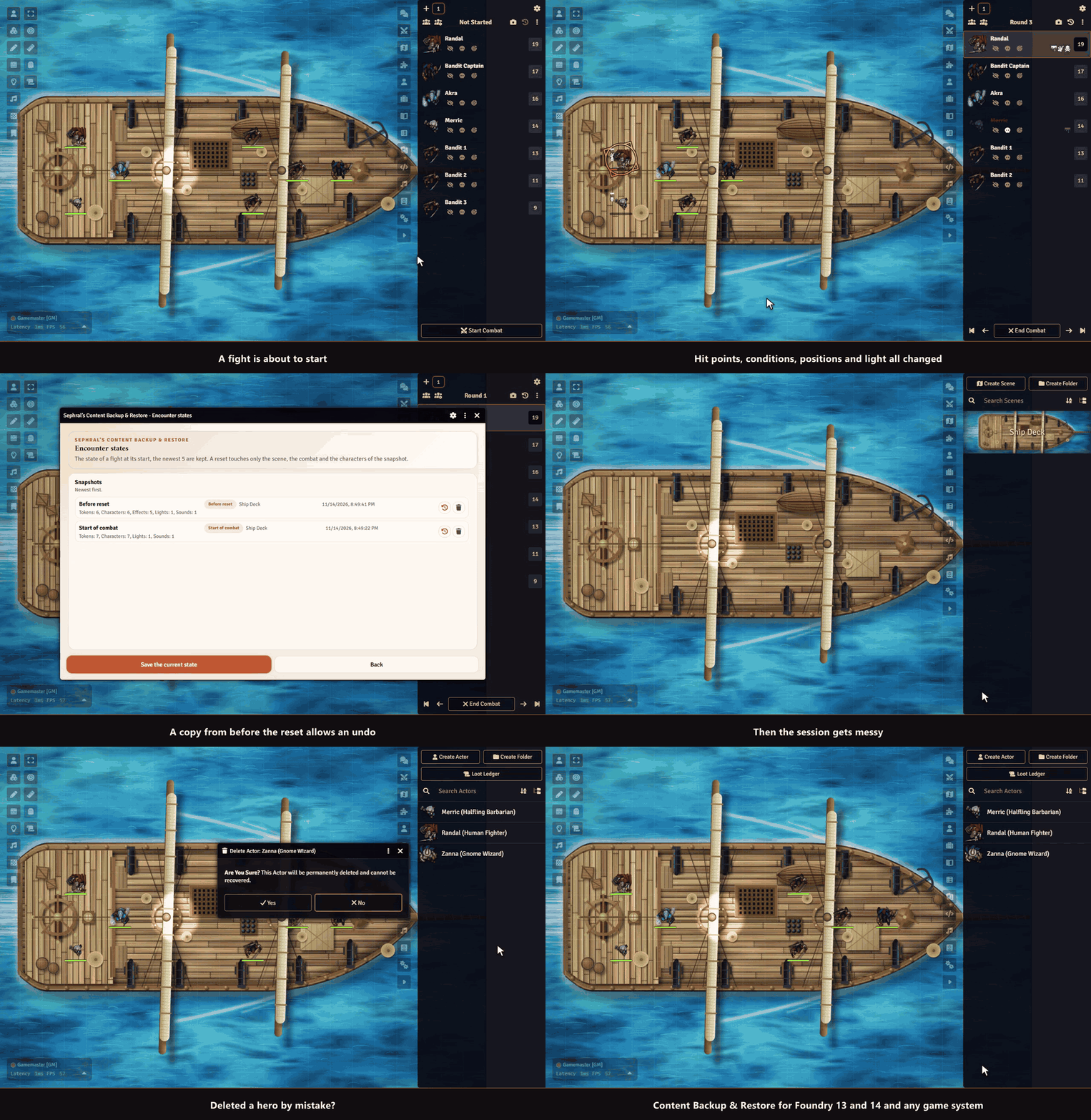
Deleted the wrong actor? Broke a scene you spent hours on? Get it back in seconds. Content Backup & Restore keeps named backups of your world's content and restores them whenever you need, even after a document was deleted.
Highlights
- One click back to the start of a fight: when a combat begins, the hit points and resources of the fighters, their effects and conditions, token positions, doors, lights and the playing music are saved. A button in the combat tracker puts the scene back for a rerun or after a mistake, with a confirmation first. Linked and unlinked tokens both work, and nothing outside the fight is touched.
- One right click away: save a named backup of a scene, actor, item, journal entry, playlist, macro, roll table or card stack straight from the sidebar.
- Restore without regrets: before every restore the current state is saved as a backup too. Changed your mind? Restore that one.
- Bring back what you deleted: the recovery view lists deleted documents that still have a backup. They return with their original ID, so links, linked tokens and combat entries work again.
- No surprises after updates: every backup remembers the Foundry and game system version it was made with, and the restore warns you when your world has moved on.
- All backups in one window: browse, restore, delete and recover everything from one central manager.
- Automate your safety net: a short macro backs up every scene before each session. The manual has the example.
- Works on The Forge: backups go to your Assets Library automatically.
How it works
- Right click a document in the sidebar and choose Sephral’s Content Backup & Restore.
- Name the backup and save it.
- Need it back? Open the same menu to restore it, or open the manager from the module settings to recover deleted documents.
For a fight, just start the combat. The state is saved on its own, and the camera and the back arrow in the header of the combat tracker save it again or bring it back.
Install
Search for Content Backup & Restore in Foundry's module browser or open the package page.
Foundry VTT 13 and 14 · any game system · English and German
Learn more
The manual covers the settings, the macro API with examples and where backups are stored, also on The Forge.
Questions or ideas? Join us on Discord. Looking for more? See all modules by Sephral.
License
See LICENSE.md.
Comments(0)
Sign in to join the discussion.