Best D&D 5e Quality of Life Modules for Foundry VTT (v14)
Last updated October 12, 2026
Last checked: October 2026 · Verified for Foundry v14 · System: D&D 5e
Quality-of-life modules don't change the rules. They take the friction out of running a D&D 5e session: rolling dice without typing formulas, jumping between scenes, getting at a token's actions without opening its sheet, handling rests, and checking that players can actually see what you shared with them. Every pick below is listed on FoundryMods as verified for Foundry v14, and the 5e-specific ones declare support for the current dnd5e 6.x system.
▶ Watch: “Intro and About the List” in The Top 5 Quality of Life Modules for Running… (0:00) · “Introduction and About the List” in The Top 5 MUST HAVE #FoundryVTT Modules for 2… (0:00)
⚠ dnd5e 6.x note (October 2026): the current D&D 5e system (6.0.x) runs only on Foundry v14. Several older 5e QoL favorites haven't caught up yet. Check the "Not yet ready" section near the end before you install.
Quick picks
| Module | What it fixes | 5e-specific? | Verified Foundry |
|---|---|---|---|
| Dice Tray | Rolling dice without typing formulas | No (any system) | v14 |
| Monk's Scene Navigation | Jumping between scenes mid-session | No | v14 |
| Token Action HUD D&D 5e | A token's attacks, spells, and features at a click | Yes (dnd5e 6.0–6.x) | v14 |
| Monk's TokenBar | Party bar, group saving throws, movement limits | No | v14 |
| Carousel Combat Tracker | A visual combat tracker | No | v14 |
| Health Estimate | Players see roughly how hurt a creature is | No | v14 |
| Rest Recovery 5e | Short and long rest rules and variants | Yes (dnd5e 6.0–6.1) | v14 |
| Retroactive Advantage DnD5e | Fixing a forgotten advantage after the roll | Yes | v14 |
| Secret Death Saves | Hiding death save results from players | Yes (dnd5e 6.0+) | v14 |
| Ownership Viewer | Seeing who can see what | No | v14 |
| Find the Culprit! | Tracking down the module that broke something | No | v14 |
1. Dice Tray
▶ Watch on Baileywiki: “Dice Tray” in The Top 5 Quality of Life Modules for Running… (3:36) · “Dice Tray” in The Top 5 MUST HAVE #FoundryVTT Modules for 2… (13:14)
Foundry already lets you type /r plus a formula to roll. Dice Tray adds dice buttons under the chat: left-click to add a die to the formula, right-click to remove it, and add advantage, disadvantage, or a flat modifier with a click. It's the fastest way to make an ad hoc roll, and it works with Dice So Nice!. It's used in more than half of the Foundry installs FoundryMods tracks.
2. Monk's Scene Navigation
▶ Watch on Baileywiki: “Monk's Scene Navigation” in The Top 5 Quality of Life Modules for Running… (4:43) · “Monk's Scene Navigation” in The Top 5 MUST HAVE #FoundryVTT Modules for 2… (4:37)
In core Foundry, left-clicking a scene in the sidebar opens its configuration, and you right-click to view it. With Monk's Scene Navigation, a left-click takes you to the scene (right-click still gets you to the configuration), small icons show which scenes are in navigation and which players can see, and the navigation bar respects your folders. During a session that saves you a lot of clicks.
3. Token Action HUD D&D 5e
▶ Watch on Baileywiki: “Token HUDs” in The Top 5 Quality of Life Modules for Running… (7:05) · “Token HUDs (Token Action HUD by Russell and Argon Combat HUD by Ripper)” in The 7 Essential Foundry VTT Add-On Modules -… (20:35)
A repositionable HUD of actions for the selected token, so you can use attacks, spells, and features without the actor's sheet open. It's especially handy for a GM running several monsters. Requires Token Action HUD Core, which in turn requires socketlib. The current release declares support for dnd5e 6.0 through 6.x.
4. Monk's TokenBar
▶ Watch on Baileywiki: “Monk's Tokenbar by Ironmonk” in The 7 Essential Foundry VTT Add-On Modules -… (15:43) · “Monk's TokenBar” in #FoundryVTT Top 25 Most Popular Modules: Ligh… (9:09)
Adds a bar with the player tokens on the current scene, showing each one's AC and passive Perception; click a portrait to center on that token. From the bar you can limit movement (free, none, or combat), request saving throws from several players at once, and assign XP.
5. Carousel Combat Tracker
▶ Watch on Baileywiki: “Carousel Combat Tracker by Ripper” in The 7 Essential Foundry VTT Add-On Modules -… (18:36) · “Carousel Combat Tracker” in #FoundryVTT Top 25 Most Popular Modules: Ligh… (14:21)
A carousel-style combat tracker, the spiritual successor of Combat Carousel. It's visual and shows extra information at a glance. In our Top 5 QoL video (“Honorable Mentions” (2:08)) it's an honorable mention only because many systems now ship their own combat tracker overhauls, so check what yours already does first.
6. Health Estimate
▶ Watch on Baileywiki: “Health Estimate” in #FoundryVTT Top 25 Most Popular Modules: Ligh… (6:42)
Players hover over a token to see an estimate of its health instead of exact hit points. The settings let you customize how it looks, when it's shown, and different estimates for different kinds of actors.
7. Rest Recovery 5e
A complete package for 5e short and long rests: class features such as Arcane Recovery and Song of Rest, feats like Durable and Chef, and optional variant rules such as rolling hit dice instead of regaining hit points, partial recovery of spell slots and resources, exhaustion automation, and food and water tracking. The current version declares dnd5e 6.0 to 6.1.
8. Retroactive Advantage DnD5e
Someone forgot they had advantage? This adds buttons to any d20 roll's chat card to change its advantage status after the fact, reusing the dice that still apply. Its author says it was tested with d20 modifiers such as Elven Accuracy and roll ranges.
9. Secret Death Saves
Forces death saves to be rolled as a blind GM roll (the default) or as a private GM roll, and hides the result from the player on the character sheet. Its author notes it supports the default and Tidy 5e sheets and may not work with other rolling modules. It's an opinionated table choice, so it's off by default in our loadout spec.
10. Ownership Viewer
▶ Watch on Baileywiki: “Ownership Viewer” in The Top 5 MUST HAVE #FoundryVTT Modules for 2… (7:52)
Shows colored dots next to every actor, item, journal, and page so you can see at a glance who can view what, and gives you a shortcut to the ownership settings. It's the fix for "open the journal page I just shared" followed by "what page?"
11. Find the Culprit!
▶ Watch on Baileywiki: “Honorable Mention: Find the Culprit!” in The Top 5 MUST HAVE #FoundryVTT Modules for 2… (2:10)
Once you have more than a handful of modules, something will eventually conflict. Find the Culprit automates the binary search (switch off half your modules, check, repeat) and tells you how many steps are left. Libraries are locked on by default.
Also worth a look
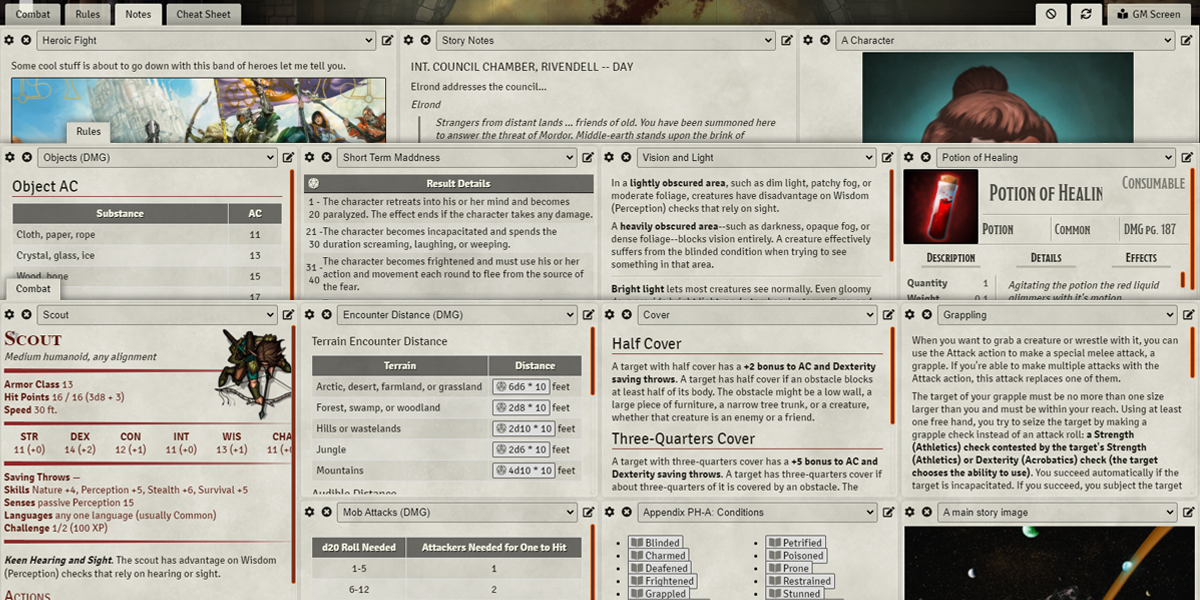
- GM Screen: a configurable grid of journal entries, roll tables, actors, and items you can pop out during play. ▶ “GM Screen” (9:50)
- Torch: a token HUD button to toggle a token's light source. ▶ “Torch” (5:13)
- Tidy 5e Sheets: an alternative 5e character sheet focused on a clean UI. The current release declares dnd5e 6.0.x only, so re-check it when dnd5e 6.1 ships.
Not yet ready for dnd5e 6 / v14
- PnP - Pointer and Pings is one of our favorite QoL modules (“PnP Pointer and Pings” (7:56)), but FoundryMods lists it as verified only for Foundry v13.
- Advantage Reminder for dnd5e is verified only for Foundry v13 and dnd5e 5.2.5.
- DND5E Scriptlets - 5E QOL bits and pieces declares a maximum dnd5e version of 5.9.99, so it doesn't support dnd5e 6.
- Vision 5e is verified for Foundry v14 but declares dnd5e 5.3.3 as its last verified system version. Test it in a copy of your world first.
Troubleshooting
Add QoL modules one at a time and play a session in between. If something breaks, run Find the Culprit (above), or see Getting Started with Foundry VTT for how activating modules and dependencies works.
Related guides
Featured modules
Frequently asked questions
What are the best quality of life modules for D&D 5e in Foundry VTT?
Dice Tray, Monk's Scene Navigation, Token Action HUD D&D 5e, and Monk's TokenBar cover most of the session-running friction. Add Rest Recovery 5e and Retroactive Advantage for 5e-specific rules help.
Do these modules work with dnd5e 6.x and Foundry v14?
Everything in the main list is listed on FoundryMods as verified for Foundry v14, and the 5e-specific modules declare support for dnd5e 6. Modules that haven't caught up yet are listed separately on this page.
Do I need Token Action HUD Core as well as the D&D 5e version?
Yes. Token Action HUD D&D 5e requires Token Action HUD Core, which requires socketlib. Foundry offers to install dependencies automatically.
Is Pointer and Pings compatible with Foundry v14?
Not yet, according to FoundryMods. It's listed as verified only for Foundry v13. Core Foundry still has its own pings, triggered with a long left-click.
Can players see exact monster hit points with Health Estimate?
No. Health Estimate shows an approximate health status when they hover over a token, and you can configure when and how it's shown.