DAS - COMBAT UI
by Darshyne
Claimed by darshyne.izumi
Install
Description
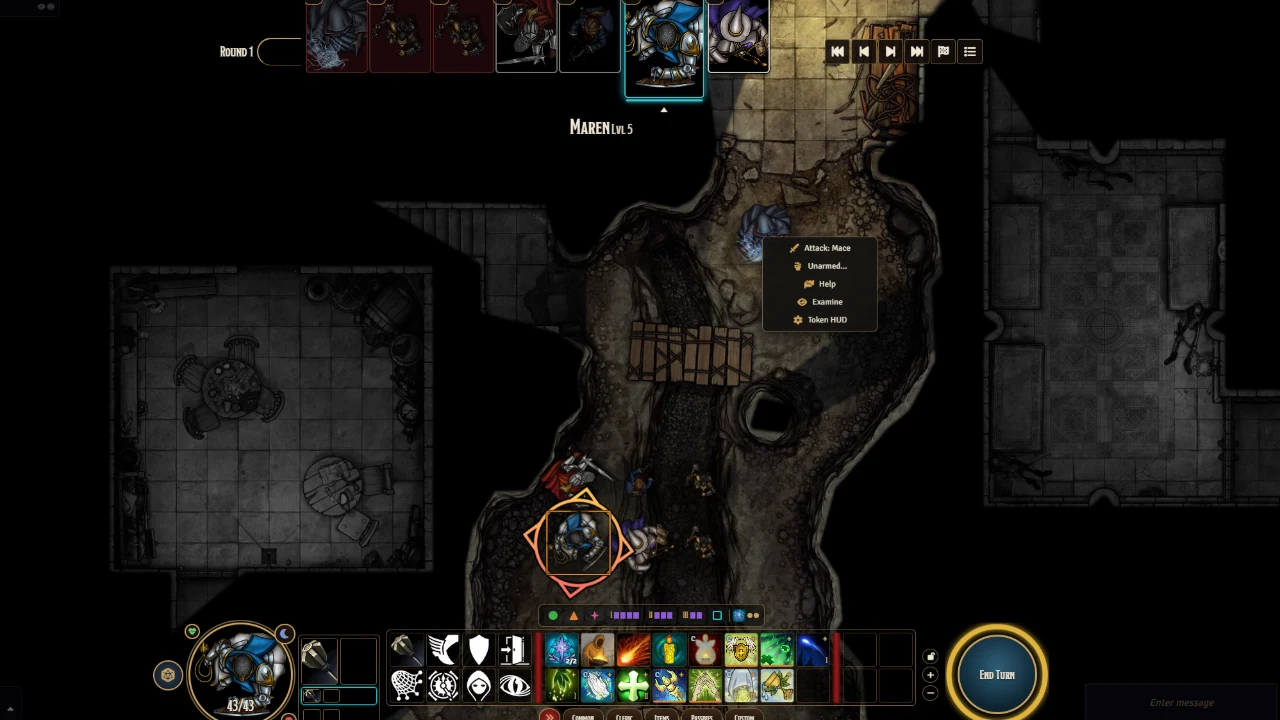
DAS · Combat UI
The screen you play from: an action bar along the bottom, party portraits on the side, the turn order across the top.
Actions grouped by tab, layout saved per character
Pick a spell's level from a drawer
Greyed-out actions tell you why
Movement budget, Dash and the path shown before you commit
Hide and Climb buttons out of combat
Up to six weapon sets: drop a weapon in a set to equip it
BG3-style roll window for the rolls the GM asks for
A bar you can fold away, and a knock-out toggle by your weapons
Comments(0)
Sign in to join the discussion.