Darshyne
Module Developer
Modules
DAS - ANIMATION
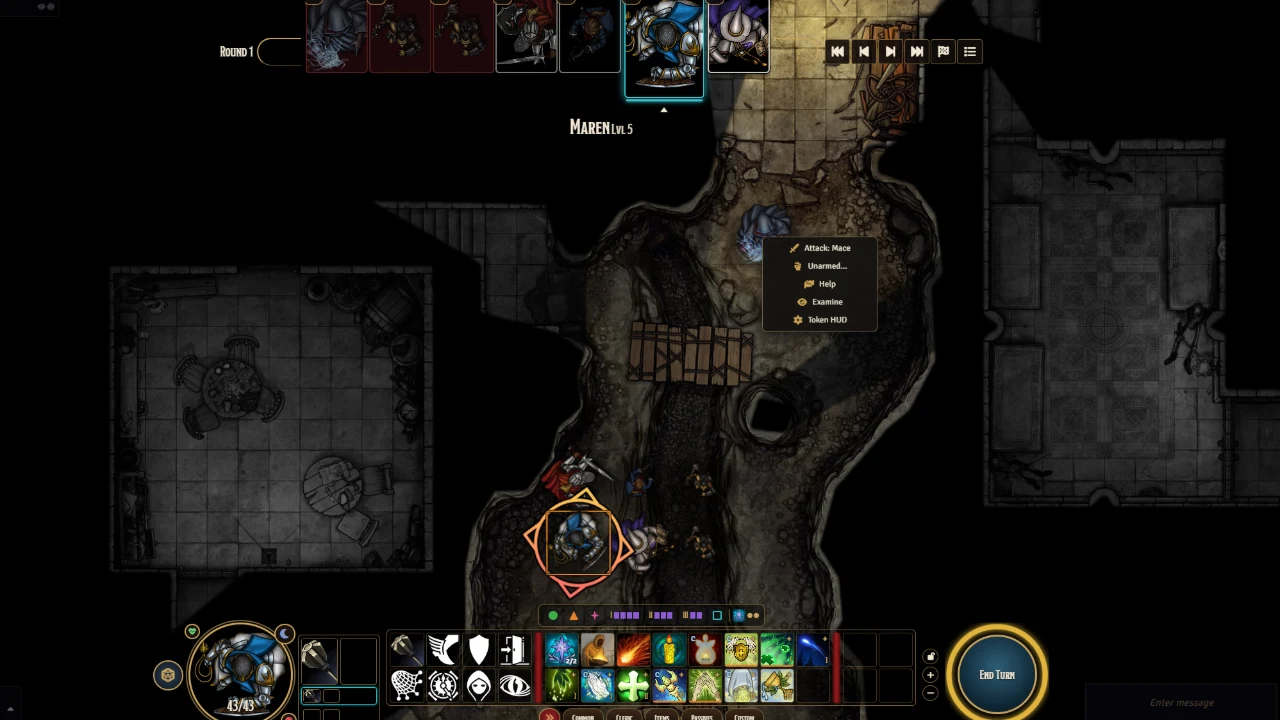
DAS · Animations Boss Loot animations for the abilities Boss Loot does not recognise on its own, such as high-level spells. Your own custom animations are kept. Without Boss Loot, falls back on the free JB2A, then Token Magic FX Works with Automated Animations, translated items included Potions, traps, spell walls and burning oil get their own effects Smites added to a weapon attack and door locks get their animations too Boss Loot (BLFX) is recommended, not required: a paid third-party module, not included.
DAS - CORE
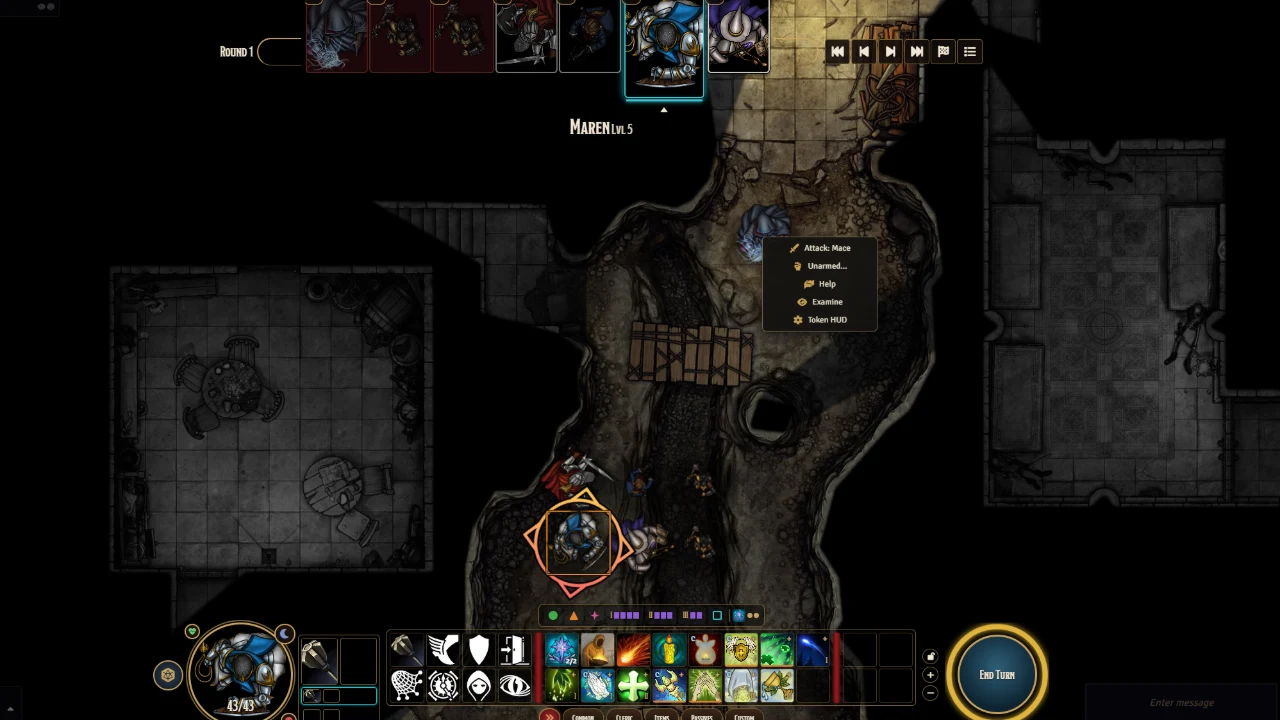
DAS · Core ( dnd5e-combat ) Website · Discord (questions, bugs, ideas) Beta. Not every spell and feature is covered yet: some still need a click or a roll by hand. If one doesn't behave as it should, tell us on Discord or open an issue . A D&D 5.5 (2024 rules) rules and combat engine for Foundry VTT V14 and dnd5e 6.x . It is the core of Darshyne's Automation Suite (DAS) : a single module owns the whole combat loop, replacing Midi-QOL, CPR and the like. Action economy and legality : per-turn budget, range and reach, soft checks on what is allowed. Resolution : attacks, saving throws (NPC saves are rolled by the engine, player saves open on the player's own screen), areas and lingering zones, concentration, conditions → advantage/disadvantage. Reactions before and after the opposing roll (Shield, Hellish Rebuke, opportunity attacks resolved before the move…), auras, start- and end-of-turn triggers. Mouse-driven movement in the style of Baldur's Gate 3: click the ground to move along a path (custom A*), click an enemy to make a basic attack, context menus, targeting mode (a banner at the top of the screen keeps the instruction and the number of targets picked while the engine waits for clicks). Vision and light rules : who sees whom, bright light / dim light / darkness, Search, passive Perception. The Ethereal Plane (dnd5e's Ethereal condition, on the same map; a GM switch turns it off): an Ethereal creature affects and is affected only by what is Ethereal too, is unseen from the Material Plane without a way to see into the Ethereal Plane, passes through walls (not walls of force) and floats; back on an occupied space, it is shunted and takes force damage. Optional critical hit house rules (off by default): a hit that beats the target's AC by a set margin (10, say) is a critical hit, and a critical hit table the attacker can choose instead of doubled dice (or always used). Every class and species of the Player's Handbook 2024 is automated, along with many monster abilities. Rules are declared per dnd5e identifier, so they apply to any creature, PC or NPC. See the full list of what Core automates (spells, class features, feats, species traits, monster abilities, items). The engine patches neither the Foundry core nor the system: it only uses public hooks. It exposes an API for neighbouring modules ( game.modules.get("dnd5e-combat").api ): UI state ( api.ui , including the pending target pick, api.ui.targeting() ), walking a token up to a target ( api.approach ), stopping this client's walks ( api.stopWalks ), the turn budget ( api.budget.issues / api.budget.spend ), content by identifier ( api.content ), and generic hooks ( dnd5e-combat.claimClick , dnd5e-combat.tokenMenu — on other tokens and on one's own —, dnd5e-combat.dropItems , dnd5e-combat.targeting , dnd5e-combat.summonOnTargets — take over a summon cast on targets —, dnd5e-combat.criticalHit — decide how a critical hit is handled —, dnd5e-combat.groundMenu / dnd5e-combat.doorMenu — add entries to the context menu of a cell or a door —, dnd5e-combat.doorUnlocked / dnd5e-combat.lockAttempt — every judged lock attempt on a door —…). It does not know any of its neighbours by name. A creature module can declare the rules for its own abilities, by dnd5e identifier, without touching the engine: Hooks.once("dnd5e-combat.registerContent", register => register("my-module", { "my-identifier": { /* keys documented at the top of module/scripts/core/content.mjs */ } })); Or call api.content.register(source, table) later on. Each entry is validated just like the bundled content. Items that carry no usable identifier (an item whose identifier dnd5e derived from its name, a premium item without one) can be mapped by document id in the same call: register(source, table, { sources: { "<16-character document id>": "my-identifier" } }) . The engine recognises the item by the id of its compendium source, or by its own id. api.content.sources() lists what was registered; unregister(source) removes the table and its sources. For tools that build rules without code, api.content.recipes describes the common building blocks (bonus damage, advantage, condition on a hit or a failed save, push/pull, repeated save, lasting zone, aura, reaction, teleport, summon…) as typed form fields, and api.content.recipes.build(recipes, { identifier }) turns them into an entry ( module/scripts/core/recipes.mjs ). DAS · Homebrew uses it. Automation levels The first setting of the module picks one of three levels (changing it reloads the world): Essentials — mouse-driven movement, context menus, turn budget, vision and interface; rolls stay dnd5e's own. Assisted — rolls are also chained and resolved (attack, damage applied, saving throws), with the general rules (conditions, cover, Concentration, 0 Hit Points, Opportunity Attacks). Full (default) — plus the automation specific to each spell, feature and monster, and content registered by other modules. api.level() / api.levelAtLeast(level) tell neighbour modules which level is active. Supported content The per-item automation (Full level) is written for the official Foundry content : the SRD 5.2 bundled with dnd5e and the official premium modules ( Player's Handbook , Monster Manual , Dungeon Master's Guide …). A rule recognises its item by its dnd5e identifier, and often finds the right activity or effect inside it by its id in the official data. Items imported from elsewhere — D&D Beyond (DDB Importer) , other modules, homebrew — carry other activities and effects under other ids. The general rules (attacks, saving throws, damage, conditions, Concentration…) still apply to them, but their own automation may do nothing, or only part of it. To get it, replace the item on the sheet with the official one: drag it from the SRD or premium compendium onto the sheet, then delete the imported copy. For items imported with DDB Importer, the world diagnostic does it for you (Configure Settings → DAS · Core → Open settings → General → World diagnostic, section "D&D Beyond"): it replaces each imported item with the official one found in this world's compendiums, keeping the item's id and its state on the sheet, after a backup. A new D&D Beyond sync brings the imported versions back, unless you tick "Keep the official items at the next D&D Beyond sync", which sets DDB Importer's own "Ignore this item" on them: D&D Beyond then no longer updates those items. Classes, subclasses and origins are only listed, as their choices can't be carried over. Some spells and features are not in the SRD (Armor of Agathys, Blade Ward, Wrathful or Thunderous Smite, the Summon spells…): without the premium module they come from, there is no official item to automate. For your own items, DAS · Homebrew builds automated ones without code. Welcome screen and world diagnostic The first time the module runs in a world, the GM sees a welcome screen : the three automation levels as big buttons, and the world diagnostic . It opens again from Configure Settings → DAS · Core → Welcome and diagnostic . The diagnostic scans the world for what needs repairing — Midi-QOL, DAE and CPR traces on sheets, Player's Handbook effects and item effects lost on import, old-format spell scrolls, CPR copies of basic actions, untranslated creature identifiers. Scanning changes nothing. You tick what to repair; every document about to change (actor, world item, or unlinked token) is first copied into the world compendium "DAS · Backups" , then read back and checked — if the copy is incomplete, nothing is modified. The Backups tab restores any repair exactly as it was (the current state is backed up first, so a restore can be undone too). The macros of the "GM tools" compendium open the same diagnostic. Darshyne's Automation Suite | Module | Role | |---|---| | dnd5e-combat | This module: rules, combat, movement, vision | | darsh-dnd-ui | Combat UI (action bar, party portraits, initiative strip) | | darsh-loot | Loot, containers, theft, merchants | | dnd5e-lumiere | Shadows and ambience, purely visual | | darsh-animations | Boss Loot (BLFX) animations for abilities it does not recognise | | darsh-homebrew | Step-by-step creator of automated items, no code | Installation In Foundry (or on The Forge), Install Module → paste the manifest URL: https://github.com/Darshyne/dnd5e-combat/releases/latest/download/module.json From source: the Foundry module is the module/ subfolder, to copy or link into Data/modules/dnd5e-combat . Compendiums are not versioned: run npm install then npm run packs , with Foundry closed. Requires: Foundry V14, dnd5e ≥ 6.0.0. Incompatible with Midi-QOL. Tests: npm test (Vitest; the rules core is pure and can be tested outside Foundry). Status: under active development, used at the author's table. Translations The module ships English, French and Brazilian Portuguese (pt-BR translation by Henrique, @henriquebot ). To add a language, copy module/lang/en.json to module/lang/<code>.json , translate the values (keep the {placeholders} ), and add an entry to languages in module/module.json ; missing keys fall back to English. tests/i18n.test.mjs checks that every key used in the code exists. A few automations read the rules text of items (durations such as "until the end of its next turn", ability drains, swallowing): they understand English and French descriptions. In a world whose item descriptions are in another language, those few fall back to dnd5e's native behaviour. License Code under the MIT license (see LICENSE ). This work includes material from the System Reference Document 5.2 ("SRD 5.2") by Wizards of the Coast LLC, available at https://www.dndbeyond.com/srd. The SRD 5.2 is licensed under the Creative Commons Attribution 4.0 International License, available at https://creativecommons.org/licenses/by/4.0/legalcode. This module is not affiliated with, nor endorsed by, Wizards of the Coast. It contains no content from the premium books or modules: it automates the items those modules provide, based on their dnd5e identifier.
DAS - Loot & Trade
DAS · Loot & Trade What happens after the fight: corpses to search, chests to pick, merchants to haggle with. Treasure rolled on the first search, by challenge rating Locked containers: key, thieves' tools or the GM Pickpocketing, items thrown on the ground, raising the dead Barter window with restocking merchants Right-click a pile or a container on the ground to search it
DAS - Shadows & Ambience
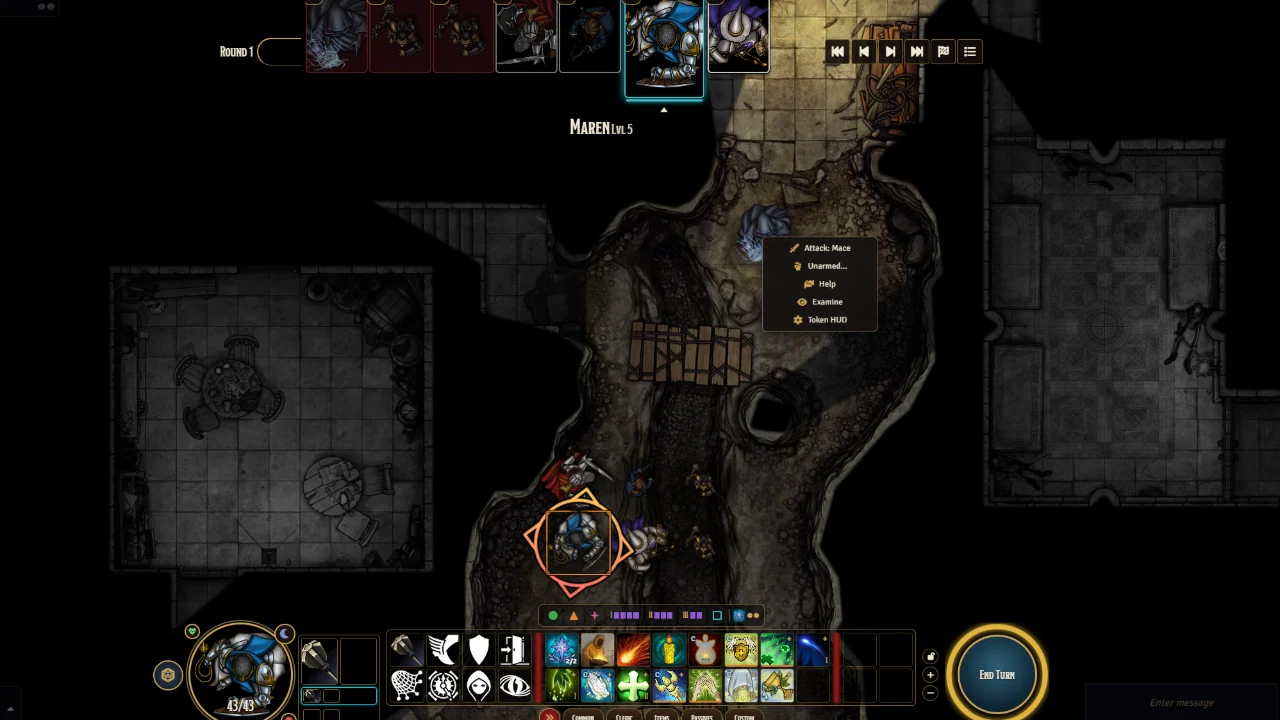
DAS · Shadows & Ambience Tokens that sit in the scene. Purely visual: it never writes anything to your world. Contact shadows, and shadows cast by lights and the sun Flying creatures bob; higher tokens look larger Blur beyond darkvision range Ink-style scene transitions, with presets you can share Seen from the Ethereal Plane: a grey, misty world, Ethereal creatures sharp
DAS - COMBAT UI
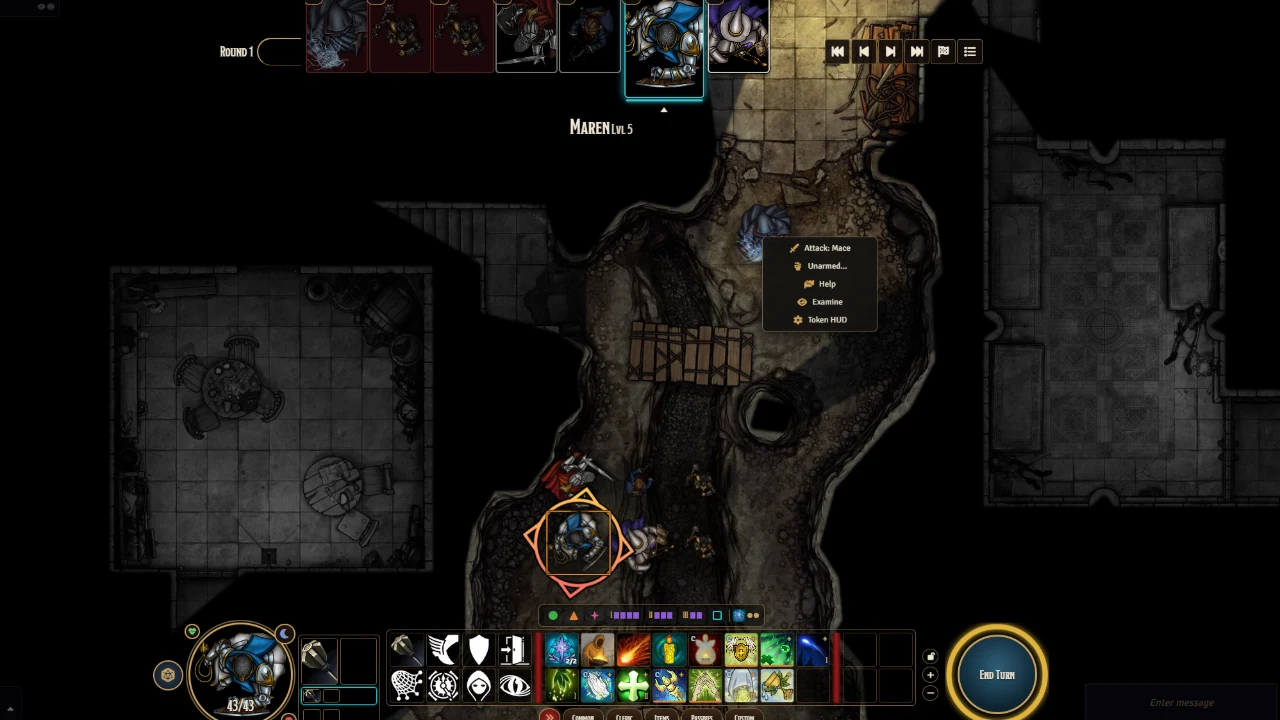
DAS · Combat UI The screen you play from: an action bar along the bottom, party portraits on the side, the turn order across the top. Actions grouped by tab, layout saved per character Pick a spell's level from a drawer Greyed-out actions tell you why Movement budget, Dash and the path shown before you commit Hide and Climb buttons out of combat Up to six weapon sets: drop a weapon in a set to equip it BG3-style roll window for the rolls the GM asks for A bar you can fold away, and a knock-out toggle by your weapons
DAS - Homebrew
DAS · Homebrew ( darsh-homebrew ) Website · Discord (questions, bugs, ideas) Beta. Darshyne's Automation Suite is still in beta: not every spell and feature is covered yet, and things may change between versions. If something doesn't behave as it should, tell us on Discord or open an issue . Part of Darshyne's Automation Suite (DAS) . A step-by-step creator of automated items for Foundry VTT V14 and dnd5e 6.x , for GMs who don't write code: spells, class features, species traits, feats, weapons, equipment, consumables and monster features. Start from scratch, or from any existing item : drop a spell or a feature into the creator and it keeps its activities, effects and current automation — you only change what differs ("like Thunderwave, but cold"). dnd5e does what dnd5e does : activities (attack, save, damage, healing, summon…), range, area and effects are set on the item's own sheet. The engine does the rest : pick building blocks from a catalogue and fill in simple forms — bonus damage, advantage or disadvantage, a condition on a hit or a failed save, push or pull, repeated save, effect ending on damage, lasting zone, aura, reaction, retaliation, save on hit, teleport, summon, usage limits, effects ending on a rest. Conditions are built from plain choices ("the target has the Prone condition", "the target is within 10 ft"). The engine checks every automation before it is saved and shows exactly what it will receive. Creations live in a compendium created in your world on first launch ("Homebrew (DAS)"), so they stay yours and editable. Their rules are recognised by identifier on every sheet the item is placed on, PCs and NPCs alike, and editing a creation updates all of them at once, for every connected player. It requires the dnd5e-combat engine (≥ 0.201.0), whose recipe catalogue ( api.content.recipes ) defines the building blocks: what the engine cannot do, the creator cannot offer. The engine does not depend on this module and runs without it. Use GM only. In the Items sidebar, Create (Homebrew) . To edit a creation later, open its sheet (in the compendium or on an actor) and use Automation (Homebrew) in the window header. Automation packs An automation pack is a .json file that holds rules only , keyed by dnd5e item identifier: no text, no image, no item sheet. It automates items your world already has — from the SRD, from a module you own, or imported by another tool — without shipping any of their content. DAS · Homebrew ships no pack : it only provides the tool. GM only. Packs (Homebrew) in the Items sidebar, or the Workshop tab of the DAS settings window: Import a pack (button, or drop the file into the window): the engine checks every rule first, and you see a summary before accepting — id, title, version, authors, number of rules, targeted identifiers, required modules present or missing, identifiers already automated elsewhere, errors. A pack with any invalid rule is refused. Each imported pack can be enabled or disabled , updated (import a newer version: your on/off choice is kept), exported again, or removed . A pack whose required module is missing, or written for another version of the engine's schema, stays inactive and the GM is told why. Export my creations turns some of your creations into a pack (optionally with their items), to import in another world. Do not share items created from another module's item: they keep its text and image. Priority, last wins key by key: engine content < packs (alphabetical by id) < your creations < the GM's world overlay. { "format": "das-pack", "formatVersion": 1, "id": "my-pack", "title": "My pack", "version": "1.0.0", "authors": ["Me"], "license": "MIT", "contentVersion": 1, // the engine's content schema version (api.content.version) "requires": { "dnd5e-combat": ">=0.267.0", "modules": [] }, // modules whose items the pack automates "sources": { "<16-character document id>": "my-strike" }, // items without a usable identifier "rules": { "my-strike": { /* an entry of the engine's content schema */ } } } rules is exactly what the engine's api.content.register(source, table) accepts. sources maps the id of an item (its compendium source, or the item itself) to the identifier its rule is filed under, for items whose identifier dnd5e derived from their (possibly translated) name. Installation In Foundry (or on The Forge), Install Module → paste the manifest URL: https://github.com/Darshyne/darsh-homebrew/releases/latest/download/module.json From source: the Foundry module is the module/ subfolder, to copy or link into Data/modules/darsh-homebrew . Tests: npm install then npm test (they read the engine's catalogue from a dnd5e-combat clone, set DAS_CORE to its path). In-game scenario: tools/scenarios/ , played with the engine's scenario runner. Early development. Planned next: exporting a pack as a ready-to-publish module ( .zip ). Translations The module ships English, French and Brazilian Portuguese (pt-BR translation by Henrique, @henriquebot ); the building blocks' labels come from the engine's own language files. To add a language, copy module/lang/en.json to module/lang/<code>.json , translate the values, and add an entry to languages in module/module.json ; missing keys fall back to English. License MIT. No book text or premium content is shipped.